
Standardize and automate network OS upgrades at scale
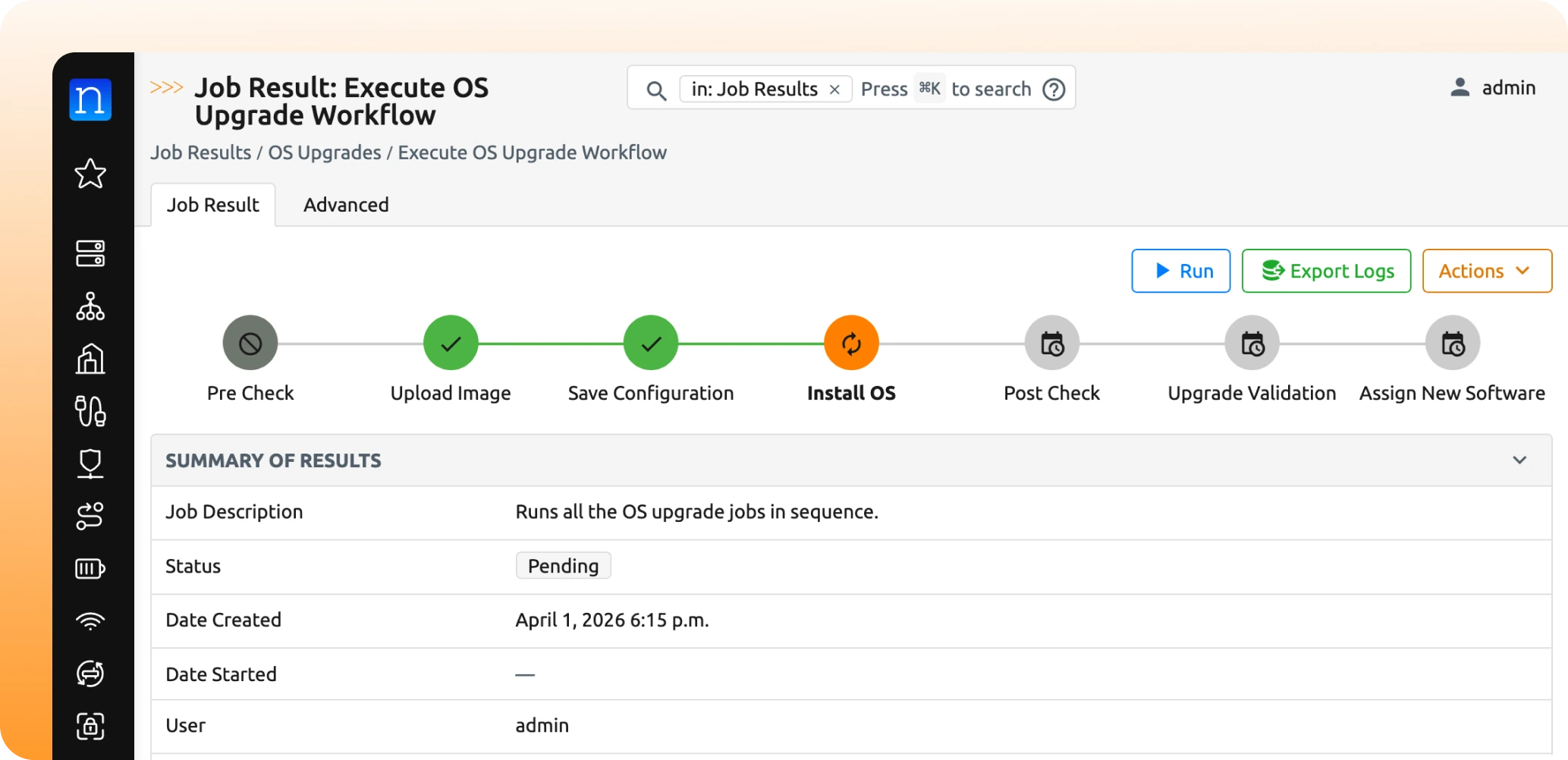
Network OS upgrades is one of the most operationally risky and time-consuming tasks in infrastructure operations. The Nautobot OS Upgrades app brings structure, consistency, and automation to this process by enabling teams to orchestrate upgrades directly from Nautobot. It centralizes upgrade workflows, leverages external image sources, and supports platform-specific logic where needed, without forcing teams into rigid, one-size-fits-all approaches.
Upgrading network operating systems is a persistent operational challenge.
Most teams rely on a mix of manual processes, fragmented scripts, and vendor-specific tools. These approaches introduce inconsistency, increase risk, and make it difficult to scale or standardize across environments. Even in organizations with mature automation practices, OS upgrades often remain semi-manual due to:
Traditional tools either focus too narrowly on specific platforms or require teams to build and maintain custom logic for every upgrade scenario. This creates operational overhead and limits the ability to scale automation.
OS upgrades remain one of the last major gaps in network automation— a high risk, inconsistent, and difficult to standardize process that drains operational time and budget .
With the OS Upgrades app, OS lifecycle management becomes predictable, repeatable, and aligned with modern network automation practices.
Teams move from reactive, manual upgrades to structured, automation-driven workflows that reduce risk and improve operational efficiency.
The Nautobot OS Upgrades app provides a structured, extensible framework for managing and automating OS upgrades directly within Nautobot.
Instead of relying on ad hoc scripts or vendor-specific workflows, teams can define and execute upgrades using a consistent model that integrates with their broader NetDevOps platform.
This brings OS lifecycle management into the same system that already governs source of truth, intended state, and automation workflows.
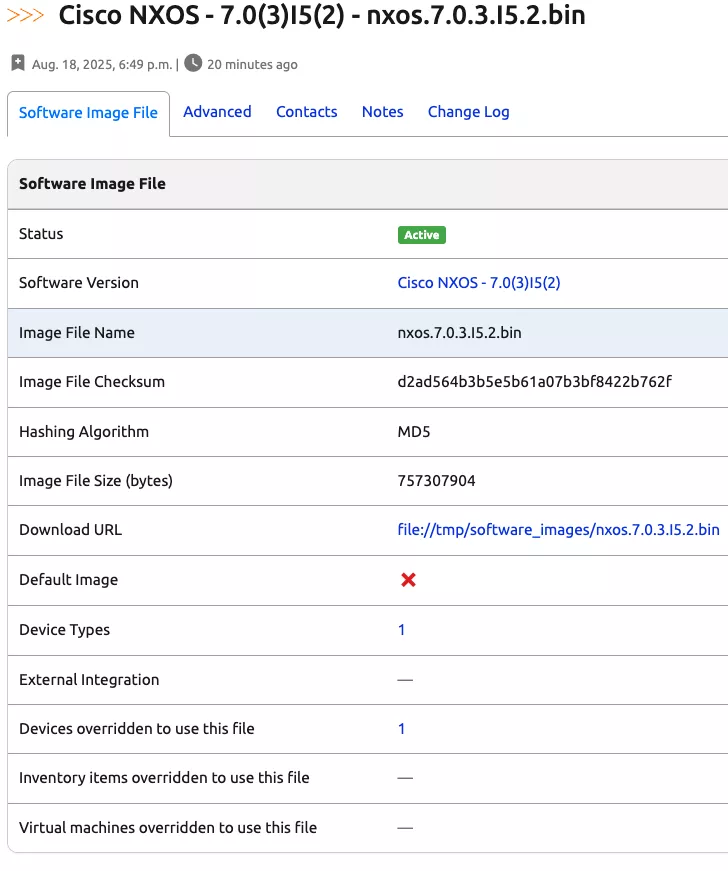
By referencing images externally, teams eliminate storage constraints and simplify image lifecycle management.
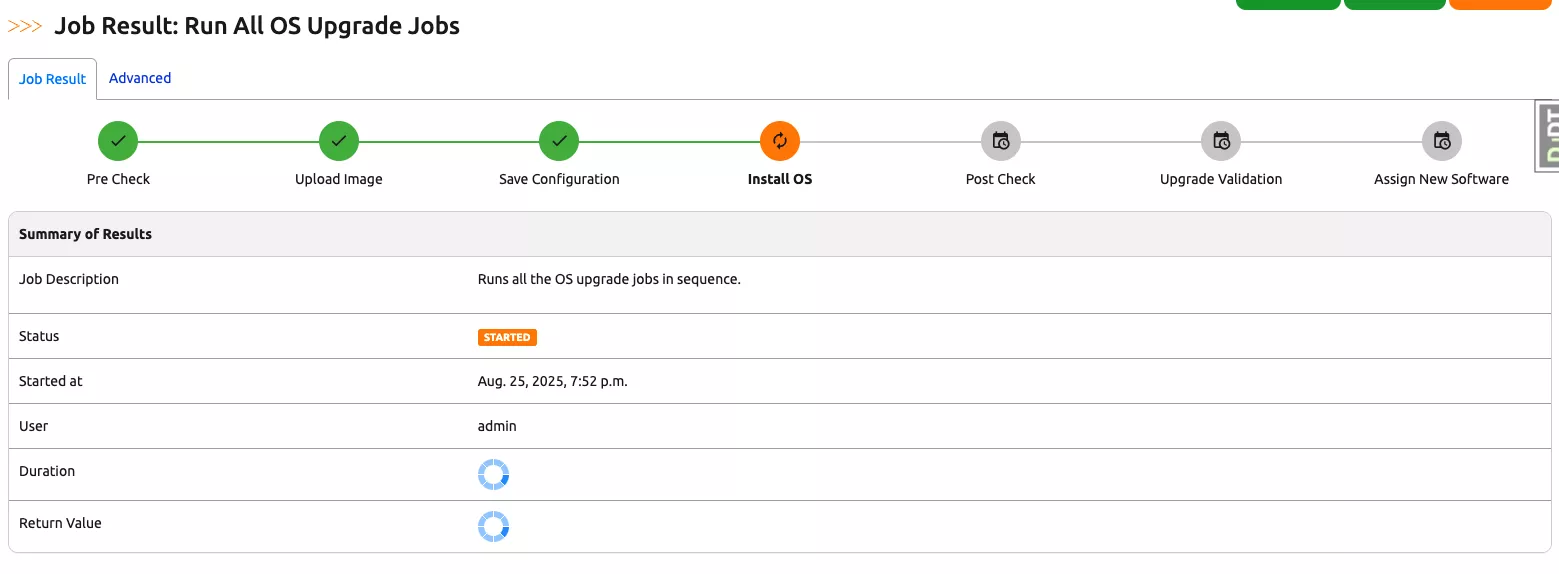
Support model- and OS-specific upgrade behavior, including platform-native upgrade mechanisms such as Cisco IOS-XR Golden ISO, Juniper EX and SRX Virtual Chassis upgrades, and automatic install mode selection for Cisco IOS-XE. The framework also performs built-in version validation before and after upgrades to verify that devices reach the intended software release.
The result is a single operational model for OS upgrades that scales with your network.
Bring consistency and control to your OS upgrade process. Start automating network OS upgrades with Nautobot today.
No. OS images are referenced via external URIs, allowing you to use existing storage systems without increasing Nautobot storage requirements.
Yes. The app is designed to support model- and OS-specific logic while maintaining a consistent workflow across vendors.
The app operates within Nautobot and can be incorporated into Jobs, automation pipelines, and broader NetDevOps workflows.
The framework provides a consistent structure to build on. While some customization may be needed for unique platform-specific behavior, the core workflow remains unified and consistent across all vendors.
It provides a unified, platform-centric approach. Many teams use it to standardize workflows across vendors rather than relying solely on vendor-specific tools.
Yes. Because upgrades are executed within Nautobot, they can be tracked as part of your system of record and automation workflows.
Yes. The app is designed to support repeatable, scalable upgrade processes across large and complex networks.
The app provides the framework for executing upgrades, but validation logic depends on how workflows are implemented within your environment.
Yes. The app performs built-in software version validation before initiating an upgrade and verifies that the device successfully boots into the target operating system after installation. This helps prevent unnecessary upgrades and provides immediate confirmation that the upgrade completed successfully.


Share details about yourself & someone from our team will reach out to you ASAP!


