Thank you for joining me for Part 4 of the parsing strategies blog series. This post will dive deeper into using Ansible’s Native Parser and the parse_cli filter plug-in. Each method requires a different templates to be created. Both defined in YAML, but they provide different outputs.
Ansible seems to have changed course as I was going to cover the Ansible network engine role that has a built-in parser, but it’s been superseded by the above parsers.
Let’s dive right in and take a look at what the show lldp neighbors parsers will look like, how they work, and how we need to modify our existing playbook to use the Ansible native parsers.
Ansible Native Parser Primer
Unlike the past two blog posts that covered NTC Templates and Cisco’s PyATS Genie library, Ansible’s native parsers do not provide any built-in templates or a library of existing templates to use to parse data. This can be a downside, as you will need to create your own. But it doesn’t require any external dependencies, which could be difficult to install in some environments.
The link in the first paragraph provides some great insight and examples on the available options when using the native parser. Our example is straightforward and doesn’t require any complex logic. The recommended way to use the parser is for it to create a dictionary with each key being an identifier and then the other data that’s captured being nested key/value pairs inside of the identifier key. You could use it to extrapolate a dictionary without any nesting depending on the output. But if you’re looking to capture multiple entries, it’s best to follow the nested key method.
Our template is stored within the templates/ folder and is named to use the built-in method for finding the templates. You can find more info in the corresponding article above, but as a refresher, it looks for the following in the templates/ folder, _.yaml.
The neighbor keys, etc. are nested under ““. These templates can become complicated depending on your RegEx and the output. For example, if we were to change the hold_time to be \S+, this would capture the header in the output and capture incorrect data.
We can see that we provide an example of what the line we’re expecting to capture looks like. The getval is where we build out the RegEx using the named capture functionality. These named captures are then referenced within our result dictionary.
Our payload using the getval against the example would look like the following:
Due to the output being a dictionary, each additional entry will be a new top-level key with the structured data below. One thing to ensure, since this is a dictionary, is to select a top-level key that will be unique among all the output. If capabilities was used as the top-level key, there could be unintended consequences with data parsed being overwritten with newer data. For example, the output above would result in only one entry being returned.
Now that we understand how this parser works, we’ll move on to the parse_cli filter plug-in.
Ansible parse_cli Primer
Since there isn’t much flexibility for the data outputted from the Ansible native parser, we can create a parser that will prevent us from having to create a custom filter plug-in to manipulate the data to work with the assertion task. This template is also written in YAML.
If we dissect the template a bit further, the top-level keys can be multiple key/value pairs, with the key(s) being returned by the filter. Under each key that is defined, must be value and items key/value pairs. The value will correlate to the key stored under the top-level vars key. This tells it how to structure the data once it has been parsed. The items value is the RegEx that is used to parse the unstructured data using the named capture that we covered above. This RegEx can be reused between both of these methods that we have covered in this blog post.
This method does provide additional ways to format the data, and we can actually update the template to have the same format as the Ansible native parser we discussed above.
.. warning:: Please remember that since this is a dictionary, select a top-level key that will unique among all the output. If capabilities was used as the top-level key, there could be unintended consequences with data parsed being overwritten with newer data. For example, the output above would result in only one entry being returned.
Below is a picture of the lab topology we’re using to validate LLDP neighbors. It’s a simple topology with three Cisco IOS routers connected together and that have LLDP enabled.
Ansible Setup Updates
We’ve already covered most of the Ansible setup in Part 2, but we’ll explain the small changes we have to make to use the built-in Ansible parsers.
As a refresher, since there are no changes here, here is a look at a host var we’ve defined.
Now let’s take a look at the changes in pb.validate.neighbors.yml.
----hosts:"ios"connection:"ansible.netcommon.network_cli"gather_facts:"no"vars:command:"show lldp neighbors"tasks:-name:"PARSE LLDP INFO INTO STRUCTURED DATA" ansible.netcommon.cli_parse:command:"{{ command }}"parser:name:"ansible.netcommon.native"set_fact:"lldp_neighbors"register:"lldp_output"-name:"PARSE DATA AND SET_FACT WITH PARSE_CLI FILTER PLUGIN" ansible.builtin.set_fact:parse_cli_lldp_neighbors:"{{ lldp_output['stdout'] | ansible.netcommon.parse_cli('templates/ios_show_lldp_neighbors_parse_cli.yaml') }}"-name:"MANIPULATE THE DATA TO BE IN STANDARD FORMAT" ansible.builtin.set_fact:lldp_neighbors:"{{ lldp_neighbors | convert_data_native }}"-name:"ASSERT THE CORRECT NEIGHBORS ARE SEEN VIA ANSIBLE NATIVE PARSER" ansible.builtin.assert:that:-"lldp_neighbors | selectattr('local_interface', 'equalto', item.local_intf) | map(attribute='neighbor') | first == item.neighbor"-"parse_cli_lldp_neighbors['lldp_neighbors'] | selectattr('local_interface', 'equalto', item.local_intf) | map(attribute='neighbor') | first == item.neighbor"loop:"{{ approved_neighbors }}"
There are a few things to dissect with the playbook. First, we changed the parser to ansible.netcommon.native. We also added a few tasks to show both the ansible.netcommon.native parser and the ansible.netcommon.parse_cli filter plug-in. Despite using both methods, we’re able to validate that both methods should result in our assertions passing.
Playbook Output
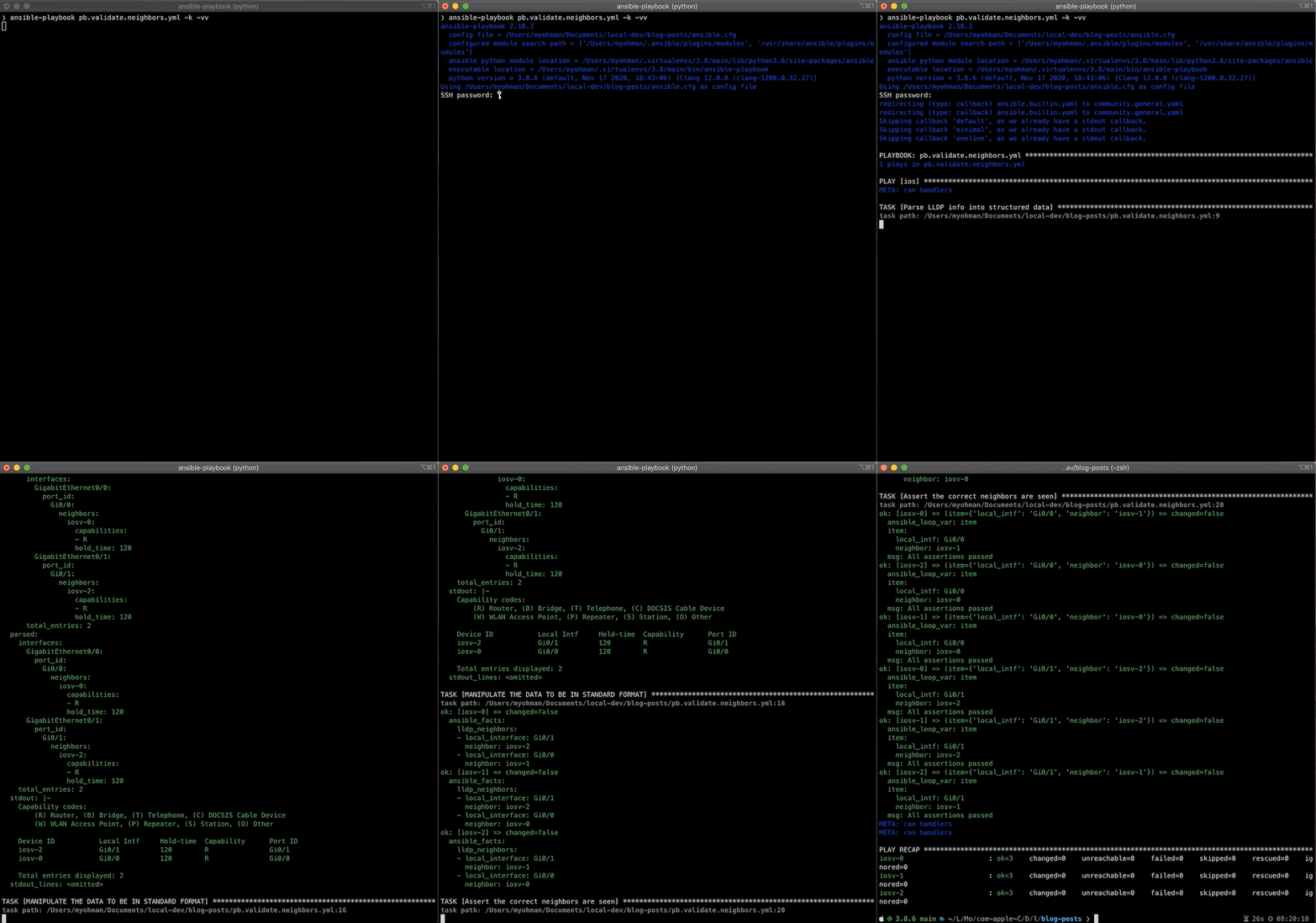
Let’s go ahead and run the playbook and see what output we get.
❯ ansible-playbook pb.validate.neighbors.yml -k -vvansible-playbook 2.10.5 config file =/Users/myohman/Documents/local-dev/blog-posts/ansible.cfg configured modulesearchpath = ['/Users/myohman/.ansible/plugins/modules', '/usr/share/ansible/plugins/modules']ansiblepythonmodulelocation = /Users/myohman/.virtualenvs/main3.8/lib/python3.8/site-packages/ansibleexecutablelocation = /Users/myohman/.virtualenvs/main3.8/bin/ansible-playbookpythonversion = 3.8.6 (default, Nov 17 2020, 18:43:06) [Clang 12.0.0 (clang-1200.0.32.27)]Using /Users/myohman/Documents/local-dev/blog-posts/ansible.cfgasconfigfileSSHpassword: redirecting (type: callback) ansible.builtin.yamltocommunity.general.yamlredirecting (type: callback) ansible.builtin.yamltocommunity.general.yamlSkippingcallback'default', aswealreadyhaveastdoutcallback.Skippingcallback'minimal', aswealreadyhaveastdoutcallback.Skippingcallback'oneline', aswealreadyhaveastdoutcallback.PLAYBOOK: pb.validate.neighbors.yml ********************************************************************************************************************************************************************************1 playsinpb.validate.neighbors.ymlPLAY [ios] *********************************************************************************************************************************************************************************************************META: ranhandlersTASK [ParseLLDPinfointostructureddata] ************************************************************************************************************************************************************************taskpath: /Users/myohman/Documents/local-dev/blog-posts/pb.validate.neighbors.yml:9ok: [iosv-2] => changed=falseansible_facts:lldp_neighbors:Gi0/0:capabilities: Rhold_time: 120neighbor: iosv-0neighbor_interface: Gi0/1Gi0/1:capabilities: Rhold_time: 120neighbor: iosv-1neighbor_interface: Gi0/1parsed:Gi0/0:capabilities: Rhold_time: 120neighbor: iosv-0neighbor_interface: Gi0/1Gi0/1:capabilities: Rhold_time: 120neighbor: iosv-1neighbor_interface: Gi0/1stdout: |-Capabilitycodes: (R) Router, (B) Bridge, (T) Telephone, (C) DOCSISCableDevice (W) WLANAccessPoint, (P) Repeater, (S) Station, (O) Other Device ID Local Intf Hold-time Capability Port ID iosv-1 Gi0/1120 R Gi0/1 iosv-0 Gi0/0120 R Gi0/1 Total entries displayed:2stdout_lines:<omitted>ok: [iosv-0] => changed=false ansible_facts: lldp_neighbors: Gi0/0: capabilities: R hold_time: 120 neighbor: iosv-1 neighbor_interface: Gi0/0 Gi0/1: capabilities: R hold_time: 120 neighbor: iosv-2 neighbor_interface: Gi0/0 parsed: Gi0/0: capabilities: R hold_time: 120 neighbor: iosv-1 neighbor_interface: Gi0/0 Gi0/1: capabilities: R hold_time: 120 neighbor: iosv-2 neighbor_interface: Gi0/0 stdout: |- Capability codes: (R) Router, (B) Bridge, (T) Telephone, (C) DOCSIS Cable Device (W) WLAN Access Point, (P) Repeater, (S) Station, (O) Other Device ID Local Intf Hold-time Capability Port ID iosv-1 Gi0/0 120 R Gi0/0 iosv-2 Gi0/1 120 R Gi0/0 Total entries displayed: 2 stdout_lines: <omitted>ok: [iosv-1] => changed=false ansible_facts: lldp_neighbors: Gi0/0: capabilities: R hold_time: 120 neighbor: iosv-0 neighbor_interface: Gi0/0 Gi0/1: capabilities: R hold_time: 120 neighbor: iosv-2 neighbor_interface: Gi0/1 parsed: Gi0/0: capabilities: R hold_time: 120 neighbor: iosv-0 neighbor_interface: Gi0/0 Gi0/1: capabilities: R hold_time: 120 neighbor: iosv-2 neighbor_interface: Gi0/1 stdout: |- Capability codes: (R) Router, (B) Bridge, (T) Telephone, (C) DOCSIS Cable Device (W) WLAN Access Point, (P) Repeater, (S) Station, (O) Other Device ID Local Intf Hold-time Capability Port ID iosv-2 Gi0/1 120 R Gi0/1 iosv-0 Gi0/0 120 R Gi0/0 Total entries displayed: 2 stdout_lines: <omitted>TASK [PARSE DATA AND SET_FACT WITH PARSE_CLI FILTER PLUGIN] ********************************************************************************************************************************************************task path: /Users/myohman/Documents/local-dev/blog-posts/pb.validate.neighbors.yml:17ok: [iosv-0] => changed=false ansible_facts: parse_cli_lldp_neighbors: lldp_neighbors: - capabilities: R hold_time: 120 local_interface: Gi0/0 neighbor: iosv-1 neighbor_interface: Gi0/0 - capabilities: R hold_time: 120 local_interface: Gi0/1 neighbor: iosv-2 neighbor_interface: Gi0/0ok: [iosv-1] => changed=false ansible_facts: parse_cli_lldp_neighbors: lldp_neighbors: - capabilities: R hold_time: 120 local_interface: Gi0/1 neighbor: iosv-2 neighbor_interface: Gi0/1 - capabilities: R hold_time: 120 local_interface: Gi0/0 neighbor: iosv-0 neighbor_interface: Gi0/0ok: [iosv-2] => changed=false ansible_facts: parse_cli_lldp_neighbors: lldp_neighbors: - capabilities: R hold_time: 120 local_interface: Gi0/1 neighbor: iosv-1 neighbor_interface: Gi0/1 - capabilities: R hold_time: 120 local_interface: Gi0/0 neighbor: iosv-0 neighbor_interface: Gi0/1TASK [MANIPULATE THE DATA TO BE IN STANDARD FORMAT] ****************************************************************************************************************************************************************task path: /Users/myohman/Documents/local-dev/blog-posts/pb.validate.neighbors.yml:21ok: [iosv-0] => changed=false ansible_facts: lldp_neighbors: - capabilities: R hold_time: 120 local_interface: Gi0/0 neighbor: iosv-1 neighbor_interface: Gi0/0 - capabilities: R hold_time: 120 local_interface: Gi0/1 neighbor: iosv-2 neighbor_interface: Gi0/0ok: [iosv-1] => changed=false ansible_facts: lldp_neighbors: - capabilities: R hold_time: 120 local_interface: Gi0/1 neighbor: iosv-2 neighbor_interface: Gi0/1 - capabilities: R hold_time: 120 local_interface: Gi0/0 neighbor: iosv-0 neighbor_interface: Gi0/0ok: [iosv-2] => changed=false ansible_facts: lldp_neighbors: - capabilities: R hold_time: 120 local_interface: Gi0/1 neighbor: iosv-1 neighbor_interface: Gi0/1 - capabilities: R hold_time: 120 local_interface: Gi0/0 neighbor: iosv-0 neighbor_interface: Gi0/1TASK [Assert the correct neighbors are seen via Ansible Native Parser] *********************************************************************************************************************************************task path: /Users/myohman/Documents/local-dev/blog-posts/pb.validate.neighbors.yml:25ok: [iosv-0] => (item={'local_intf': 'Gi0/0','neighbor': 'iosv-1'}) => changed=false ansible_loop_var: item item: local_intf: Gi0/0 neighbor: iosv-1 msg: All assertions passedok: [iosv-1] => (item={'local_intf': 'Gi0/0','neighbor': 'iosv-0'}) => changed=false ansible_loop_var: item item: local_intf: Gi0/0 neighbor: iosv-0 msg: All assertions passedok: [iosv-0] => (item={'local_intf': 'Gi0/1','neighbor': 'iosv-2'}) => changed=false ansible_loop_var: item item: local_intf: Gi0/1 neighbor: iosv-2 msg: All assertions passedok: [iosv-1] => (item={'local_intf': 'Gi0/1','neighbor': 'iosv-2'}) => changed=false ansible_loop_var: item item: local_intf: Gi0/1 neighbor: iosv-2 msg: All assertions passedok: [iosv-2] => (item={'local_intf': 'Gi0/0','neighbor': 'iosv-0'}) => changed=false ansible_loop_var: item item: local_intf: Gi0/0 neighbor: iosv-0 msg: All assertions passedok: [iosv-2] => (item={'local_intf': 'Gi0/1','neighbor': 'iosv-1'}) => changed=false ansible_loop_var: item item: local_intf: Gi0/1 neighbor: iosv-1 msg: All assertions passedMETA: ran handlersMETA: ran handlersPLAY RECAP *********************************************************************************************************************************************************************************************************iosv-0 : ok=4 changed=0 unreachable=0 failed=0 skipped=0 rescued=0 ignored=0 iosv-1 : ok=4 changed=0 unreachable=0 failed=0 skipped=0 rescued=0 ignored=0 iosv-2 : ok=4 changed=0 unreachable=0 failed=0 skipped=0 rescued=0 ignored=0
If we take a closer look at the output of the first task, we can see under the parsed key as well as setting the fact (lldp_neighbors), that we have our structured data from running the raw output through Ansible native parser as well as a subsequent task using the parse_cli filter plug-in.
We can see from the output, both methods have resulted in our assertions passing.
Conclusion
We went through two of the built-in parsers that Ansible provides and how we can use each of them to parse the data into desired formats to assert on. They both offer different pros and cons. If we use the built-in ansible.netcommon.parse_cli, it fetches the data for us, and then parses it with the template provided by us. This can be desirable rather than having to use the correct *_command module, and then pass the output into the ansible.netcommon.parse_cli filter plug-in. The downside to the coupled approach is that it can be difficult to manipulate the original unstructured data in later tasks and may require fetching the data from the device again.
We could have looked into setting gather_facts to yes at the play level and then using the ansible_net_neighbors facts that provides the CDP/LLDP output as structured data as well.
Below is the output of tree after all the changes discussed above.
Finally the updated contents of the custom_filters.py.
# -*- coding: utf-8 -*-
# GNU General Public License v3.0+ (see COPYING or https://www.gnu.org/licenses/gpl-3.0.txt)
from__future__importabsolute_import,division,print_function__metaclass__=typeimportredefconvert_genie_data(data):intfs=[]fork,vindata['interfaces'].items():intf_name="Gi"+re.search(r'\d/\d',k).group(0)intf_dict={}intf_dict['local_interface']=intf_nameneighbor_intf=list(v['port_id'].keys())[0]intf_dict['neighbor']=list(v['port_id'][neighbor_intf]['neighbors'].keys())[0]intfs.append(intf_dict)returnintfsdefconvert_native_data(data):intfs=[]forintfindata:temp_dict={"local_interface":intf}temp_dict.update(data[intf])intfs.append(temp_dict)returnintfsclassFilterModule:deffilters(self):filters={'convert_data':convert_genie_data,'convert_data_native':convert_native_data,}returnfilters
I hope you enjoyed this blog post and gained a clearer picture of the available built-in parsers provided by Ansible. The next post in this series will go over building our own custom filter plug-in to parse the data.
Does this all sound amazing? Want to know more about how Network to Code can help you do this, reach out to our sales team. If you want to help make this a reality for our clients, check out our careers page.