
Nautobot Certified App Developer (NCAD) Frequently Asked Questions

Please review the FAQ before registering for the NCAD exam.
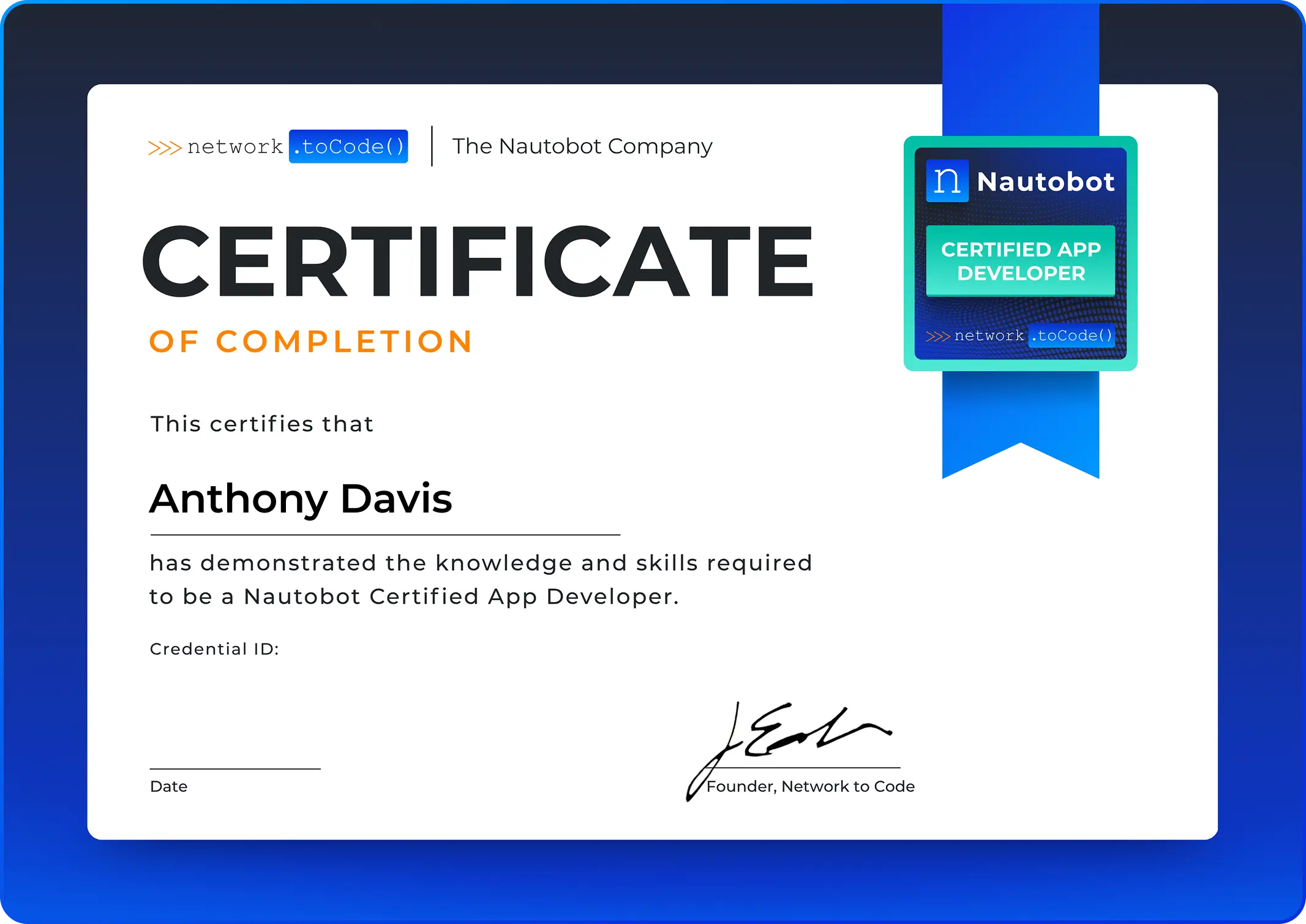
NCAD Certificate

Certification Support

Nautobot Certified App Developer (NCAD) – Pre-requisite

Online Testing Frequently Asked (FAQs) CTA

The NCAD exam requires an active NCA certification.

Nautobot Certified App Developer (NCAD) – Frequently Asked Questions

Online Testing Frequently Asked (FAQs) CTA

The Nautobot Certified App Developer (NCAD) is a developer-level certification that validates your ability to design, build, and extend custom Nautobot applications using Python. It demonstrates that you have the skills to create models, views, REST API endpoints, Jobs, UI extensions, and platform hooks that integrate natively with the Nautobot framework.

The NCAD certification is ideal for:

  • Python developers building custom Nautobot apps and plugins
  • Network automation engineers who extend Nautobot at the code level
  • Software engineers integrating Nautobot into internal tooling and platforms
  • Engineers who write custom Jobs, REST API endpoints, or UI extensions
  • Technical leads designing Nautobot app architecture for production environments

The Nautobot Certified Associate (NCA) certification is required before taking the NCAD exam. Your NCA certification must be active (not expired) at the time of registration.

In addition to holding an active NCA, we recommend:

  • Proficiency in Python 3.9+ and Django fundamentals
  • Familiarity with Nautobot’s data model and REST API from the NCA level
  • Hands-on experience building or modifying Python packages
  • Working knowledge of Django models, views, and URL routing
  • Exposure to Nautobot app development concepts (NautobotAppConfig, pyproject.toml)

No. The NCAD certification is open to anyone with an active NCA certification, regardless of whether they are a Network to Code customer.

Exam Details

The NCAD exam consists of:

  • Duration: 180 minutes
  • Questions: 100 multiple choice, scenario-based, and code analysis questions
  • Passing Score: 75%
  • Question Types: Single choice and multiple choice
  • 24/7 On-Demand: Proctored exam conducted on Nautobot Certification Portal
  • Language: English only

The exam covers five domains with the following weightings:

Domain Weight
Setup and App Configuration 15%
Models and Data Layer 20%
Views and REST API 28%
Platform Features 25%
UI Extensions 12%

For a detailed breakdown of skills and topics, refer to the Exam Blueprint.

The NCAD exam includes a significant number of code analysis questions — questions where you must read Python code snippets and identify correct implementations, spot errors, or choose the right class or method. These questions require more careful reading time than conceptual questions. The 3-hour window ensures candidates have adequate time to engage with code-based content without time pressure.

For security reasons, individual question results are not provided. You will receive a pass/fail result and a domain-level performance breakdown showing your strengths and areas for improvement.

Registration & Scheduling

To register for the NCAD exam:

  1. Visit the Nautobot Certification Portal (or your organization’s exam registration portal)
  2. Create an account or sign in
  3. Verify your active NCA certification status
  4. Select “Nautobot Certified App Developer (NCAD)” from the exam list
  5. Complete payment with credit card
  6. A confirmation email will be sent with steps for system pre-check and exam details
  7. Your exam will be available immediately in your portal – take it whenever you’re ready!

No scheduling required – once you purchase, you can take the exam at any time.

There is no appointment to cancel or reschedule. Unlike traditional testing centers, the NCAD exam is on-demand. Once purchased, you have 12 months to take your exam whenever you’re ready.

Exam pricing varies by region. Current pricing information is available on the Nautobot Certification Portal.

Payment Method: Credit card only

Contact certifications@networktocode.com for:

  • Enterprise pricing or bulk purchases
  • Alternative payment arrangements for organizations

Contact certifications@networktocode.com for discount eligibility and pricing.

No refunds are available. Because the NCAD exam is available on-demand 24/7, please review all requirements before purchasing:

  • Read this FAQ thoroughly
  • Review the Exam Blueprint
  • Complete the Honorlock System Check
  • Ensure you meet all technical and testing environment requirements

If you have any questions before purchasing, contact certifications@networktocode.com.

Exam Preparation

We recommend a structured study approach:

  1. Test Your System First:
  1. Review Official Resources:
  1. Hands-On Practice:
  • Build a complete Nautobot app from scratch using the App Developer Guide
  • Write custom models, views, serializers, Jobs, and FilterExtensions in a lab environment
  • Practice reading and debugging Python code that implements Nautobot patterns
  • Extend an existing app with NavMenuItems, TemplateExtensions, and custom UI components
  1. Study Materials:
  • Review the Exam Blueprint
  • Study Exam Format & Requirements
  1. Community Resources:

Study time varies based on your experience level:

  • Active Python/Django developers with Nautobot app experience: 3-5 weeks of focused study
  • NCA-Certified Engineers with Python experience but no app development: 6-8 weeks with hands-on practice
  • Candidates who passed NCA recently without Python development background: 10-14 weeks of deeper technical study

Recommended training courses include:

  • Creating Nautobot Apps (Highly Recommended)Nautobot with Python and Ansible (Highly Recommended)
  • Network Programming and Automation (includes Python I and Ansible I)
  • Automating Networks with Python II
  • Automating Networks with Ansible II
  • Source of Truth (SoT) and Nautobot Fundamentals

Visit https://networktocode.com/training for course schedules and registration.

Hands-on coding is strongly recommended and more critical for NCAD than any other Nautobot certification. A significant portion of the exam includes code analysis questions — you must read Python code and identify correct vs. incorrect implementations.

Why coding experience is especially important for NCAD:

  • Questions test your ability to recognize correct class names, method signatures, and module import paths
  • Topics like NautobotModelSerializer, NautobotUIViewSet, and FilterExtension require you to know precise Python patterns — not just concepts
  • Candidates who have built at least one complete Nautobot app significantly outperform those who have not

Recommended hands-on resources:

Testing Options & Requirements

The NCAD exam is available as an online proctored exam only. You can take the exam from your home or office, with remote proctor monitoring via webcam.

No test centers – all exams are delivered virtually through secure online proctoring.

For online proctored exams, you must have:

Requirement Specification

Operating System:- Windows 10/11, macOS 10.15+ (Linux not supported).

Internet Connection :-Minimum 2 Mbps download/upload (wired connection recommended).

Webcam:- Minimum 640×480 resolution @ 10 fps (internal or external).

Microphone:- Built-in or external microphone required.

Display:- Minimum 1024×768 resolution (additional monitors must be unplugged).

Browser:- Latest versions of Chrome.

Before purchasing: Complete the Honorlock System Check to verify your computer meets all requirements.

Your testing environment must meet these requirements:

  • Private room with closed door (no other people allowed)
  • Clean workspace – no books, papers, notes, electronic devices, or writing materials within reach
  • Quiet location without background noise or distractions
  • Adequate lighting so your face is clearly visible on webcam
  • Blank walls – whiteboards or posters with writing will be flagged during room scan

Not allowed:

  • Additional monitors (must be unplugged and turned off)
  • Mobile phones, smart watches, or headphones
  • Food (water in a clear glass is permitted)
  • Hats or headwear (religious exemptions available)

You must present one valid, government-issued photo ID that includes:

  • Your photo
  • Your signature
  • Your full name (must match your registration exactly)
  • Current expiration date (unexpired)

Acceptable forms of ID:

  • Driver’s license
  • State ID
  • Passport
  • National ID card
  • Military ID

Not acceptable:

  • Expired IDs
  • Student IDs
  • Name change documents without photo ID

Exam Day Procedures

To start your online proctored exam:

  1. Log into the Nautobot Certification Portal when you’re ready to take your exam
  2. Click “Begin Exam” under your purchased exam
  3. Download the Honorlock proctoring software if not already installed
  4. Follow prompts to complete check-in:
  • Take photos of your government-issued ID
  • Perform 360-degree room scan using webcam
  • Take photos of your workspace and desk surface
  1. Wait in queue for proctor to verify your setup (may take 5-15 minutes depending on demand)
  2. Proctor will launch your exam once verification is complete

No appointment needed – Start your exam whenever you’re ready.

You must comply with the following rules during your exam:

During Your Exam:

  • Do not cheat or allow someone else to take your exam for you
  • Do not record, share, or allow others to see your exam content
  • Do not leave the webcam view during the exam
  • Remain quiet unless instructed by your proctor
  • Do not access your phone or other devices without proctor permission
  • Your session will be recorded for quality and security purposes

If You Need Help:

  • Live proctor support is available via chat only
  • Proctors cannot pause or add time to your exam
  • Proctors cannot troubleshoot technical issues with your computer or network

Violations:

  • Breaking these rules may result in immediate exam termination
  • You will forfeit your exam fee
  • You may be banned from future certification attempts

No, breaks are not permitted during the NCAD exam. The 180-minute exam is continuous. If you leave your computer for any reason, the proctor will terminate your exam session and you will not be able to continue.

Tips:

  • Use the restroom before starting check-in
  • Have water in a clear glass (eating, smoking, and chewing gum are prohibited)
  • Ensure you’re comfortable and prepared to sit for the full 180 minutes

If you experience technical issues:

  1. During Check-In: Contact proctor support via chat in the proctoring software
  2. During Exam: The 180-minute timer continues running. If there is a system crash, you may be able to resume. Idle time counts against your exam time.
  3. After Exam: Contact certifications@networktocode.com within 24 hours with your exam details

If anyone enters your testing room during the exam, your exam will be immediately terminated and you will forfeit your exam fee. Ensure that others in your home or office know you are testing and that the door should not be opened.

Results & Certification

You will receive your pass/fail result immediately upon completing the exam. However, in cases of suspected test violations, a proctor review may be conducted before your results are finalized. Your official score report will be available in your certification portal within 1-2 weeks.

Your score report includes:

  • Overall pass/fail status
  • Total scaled score (if passed)

The NCAD exam uses scaled scoring from 100-1000, with a passing score of 750 (75%). Scaled scoring ensures fairness across different exam versions with varying difficulty levels.

Upon passing, you will receive the following:

  • Digital Certificate – Downloadable PDF certificate
  • Digital Badge – Shareable badge for LinkedIn, email signatures, and social media
  • Certification Validation – Publicly verifiable link to confirm your certification status
  • Certification ID – Unique identifier for verification purposes

Important: Upon successful completion of all certification requirements, please allow 2-4 weeks for processing and issuance of your official certificate and digital badge. You will receive an email notification once your credentials are ready to access.

Access Your Credentials: After passing, you’ll receive an email with instructions to claim your certificate and badge.

Note: Physical/printed certificates are not available. All credentials are digital only.

The NCAD certification is valid for 3 years from the date you pass the exam. You must recertify before expiration to maintain your certified status.

Yes! We encourage you to share your achievement:

  • One-click sharing to LinkedIn, Twitter, Facebook
  • Automatically includes your certificate image and verification link
  • Use hashtag #NautobotCertified when sharing

Add to Professional Profiles:

  • LinkedIn: Add to “Licenses & Certifications” section with your verification link
  • Email signature: Embed your digital badge
  • Personal website: Display your badge with verification link
  • Resume: Include certification name, date, and verification URL

Special Circumstances & Accommodations

  • During the exam: Contact the proctor via chat immediately, then email certifications@networktocode.com with documentation
  • Before taking the exam: Since the exam is on-demand, you have 12 months from purchase to take it whenever you’re ready. No need to reschedule.

English only.

You must be 18+ to take the NCAD exam.

Exam Policies & Security

By taking the NCAD exam, you agree to:

  • Confidentiality: Exam content is confidential and may not be shared, reproduced, or disclosed
  • Non-Disclosure: You may not discuss specific exam questions with others, post questions online, or share exam content in any form
  • Consequences: Violations may result in exam invalidation, certification revocation, and permanent ban from future certifications

If exam security flags suspicious behavior:

  • Your exam session will be reviewed by our security team
  • Video/audio recordings and system logs will be analyzed
  • You will be notified of the investigation and given an opportunity to respond
  • Potential outcomes: exam invalidation, certification revocation, testing ban

To avoid issues:

  • Follow all exam policies and proctor instructions
  • Ensure your testing environment is clear of prohibited materials
  • Maintain visual contact with your webcam throughout the exam
  • Do not speak aloud, read questions out loud, or make suspicious movements

No. The NCAD exam is closed-book. You may not use:

  • Physical books, notes, or printed materials
  • Electronic devices (phones, tablets, smartwatches)
  • Online resources, documentation, or search engines
  • Scratch paper, whiteboards, or writing utensils

Network to Code collects minimal information necessary for exam delivery and certification:

Information Collected:

  • Name – For certification record
  • Email address – For account access and communications
  • Payment information – Processed securely (not stored by Network to Code)
  • Exam results – Score, pass/fail status, and number of attempts

NOT Collected:

  • Social security number or government ID number
  • Physical address (unless voluntarily provided)
  • Phone number (unless voluntarily provided)
  • Demographic information beyond what’s required for certification

Your exam results and certification status are used for:

  • Issuing your digital certificate and badge
  • Verification of certification status by employers
  • Tracking recertification requirements

Our exam platform and proctoring provider are designed to comply with GDPR and CCPA privacy requirements:

Proctoring Data:

  • Data Retention: Exam recordings and proctoring data retained for 365 days, then securely deleted
  • What’s Recorded: Video/audio of exam session, screen recording, room scan, ID verification photos, exam responses and timestamps
  • Privacy Compliance: GDPR and CCPA compliant
  • Access: Limited to authorized personnel for security review only

Exam Platform Data:

  • Data Retention: Certification records retained indefinitely for verification purposes
  • What’s Stored: Name, email, exam scores, pass/fail status, certification issue/expiration dates
  • Privacy Compliance: GDPR and CCPA compliant
  • Access: Limited to Network to Code certification team
  • For detailed privacy policies, contact certifications@networktocode.com.

Yes. Under GDPR and CCPA regulations, you have the right to request:

  • Access to your personal data
  • Deletion of your personal data
  • Correction of inaccurate data

To request data deletion or access, contact certifications@networktocode.com with your full name and exam date.

If the proctor suspects you are using unauthorized materials:

  • Your exam will be immediately terminated
  • The incident will be reported to the certification security team
  • Your exam fee will be forfeited
  • You may be banned from future certification attempts

After Certification

NCAD certifications can be verified online:

For Individuals:

  • Ask the candidate for their verification link
  • Click the link to view their verified certificate
  • The page displays: Name, certification status, issue date, expiration date

For Employers/HR:

Verification shows:

  • Certificate holder’s name
  • Certification issue date
  • Expiration date
  • Current status (active, expired)
  • Credential ID

Yes! You can add your certification to LinkedIn:

Option 1: Direct Share (Recommended)

  1. Log into your certification portal
  2. Click “Share” on your NCAD certificate
  3. Select “LinkedIn” – it will auto-populate all information
  4. Review and post

Option 2: Manual LinkedIn Entry

  1. Go to your LinkedIn profile → “Licenses & Certifications”
  2. Click “Add” and enter:
    • Name: Nautobot Certified App Developer (NCAD)
    • Issuing Organization: Network to Code
    • Issue Date: [Your exam date]
    • Expiration Date: [3 years from issue date]
    • Credential ID: [From your certificate]
    • Credential URL: [Your verification link]

Your LinkedIn network will be notified of your new certification!

NCAD certification can help you pursue roles such as:

  • Nautobot App Developer
  • Network Automation Platform Engineer
  • Senior Network Automation Engineer
  • Network DevOps Engineer
  • Infrastructure Automation Engineer
  • Python Developer specializing in network tooling

NCAD certification signals to employers that you can independently design and build production-grade Nautobot applications and platform extensions.

The Nautobot Certified Expert (NCE) is the highest level of Nautobot certification. Details on availability and requirements are available at networktocode.com/certifications.

Additional Questions & Support

For additional questions:

Official certification resources:

Yes! We offer partnership opportunities for:

  • Training delivery partners
  • Corporate learning & development programs
  • Academic institutions
  • Technology partners

Contact certifications@networktocode.com for partnership information.
Helpful Resources

Ready to Become a Nautobot Certified App Developer?

Ready to Become a Nautobot Certified App Developer?

Validate your mastery across the full Nautobot ecosystem, and become one of the first engineers certified at the highest level of Nautobot professional track.

Register for the Exam

NCAD Exam Blueprint

Overview

This blueprint outlines the NCAD exam domains and the specific skills you’ll be tested on. For detailed study guidance, recommendations, and resources, see the NCAD Exam Preparation Guide.

  • Duration: 180 minutes
  • Questions: 100 multiple choice and scenario-based questions
  • Passing Score: 75%
  • Validity: 3 years from date of certification

  • Active Nautobot Certified Associate (NCA) certification

  • Proficiency in Python 3.9+ and Django fundamentals
  • Hands-on experience building Python packages
  • Familiarity with Nautobot’s data model, REST API, and Jobs from the NCA level
  • Working knowledge of Django models, views, URL routing, and ORM

This exam tests your ability to scaffold and configure a Nautobot app, design custom data models, build UI views and REST API endpoints, implement Jobs and platform extensions, and integrate your app into Nautobot’s navigation and home page.

Domain 1: Setup and App Configuration (15%)

1.1 App Structure and Entry Points

  • Required directory structure for a Nautobot app
  • NautobotAppConfig class: name, verbose_name, version, author, description, base_url
  • PLUGINS list in nautobot_config.py
  • PLUGINS_CONFIG dictionary for app-specific settings
  • min_nautobot_version and max_nautobot_version constraints

1.2 Python Packaging

  • pyproject.toml structure: [tool.poetry] and [tool.poetry.dependencies]
  • Entry points: [tool.poetry.plugins.”nautobot.apps”] registration
  • Declaring Nautobot as a dependency with version constraints
  • Package naming conventions

1.3 Development Environment

  • invoke task runner and common tasks: invoke start, invoke stop, invoke debug
  • Docker-based development with nautobot-docker-compose
  • Development dependencies and testing setup
  • nautobot-server commands in development context

1.4 App Autodiscovery

  • How Nautobot discovers and loads apps
  • init.py and config class exposure
  • Autodiscovered modules: jobs.py, filter_extensions.py, navigation.py, template_extensions.py, homepage.py
  • Manual vs. autodiscovered registration patterns

Domain 2: Models and Data Layer (20%)

2.1 Model Base Classes

  • PrimaryModel: UUID primary key, tags, custom fields, relationships, change logging
  • OrganizationalModel: simpler base without PrimaryModel features
  • TreeModel: hierarchical/nested model support
  • Selecting the correct base class for a given use case

2.2 Model Fields and Mixins

  • Standard Django field types used in Nautobot models
  • ManyToManyField with Tag (tags pattern)
  • Custom field support via NautobotAppConfig.custom_fields
  • StatusField and RoleField integration
  • Database table naming: {app_label}_{model_name} convention

2.3 Django ORM and Querysets

  • get_queryset() overrides and default filtering
  • select_related() and prefetch_related() for query optimization
  • Custom manager patterns
  • Model validation with CustomValidator
  • get_absolute_url() and URL resolution

2.4 Model Registration

  • Registering models in NautobotAppConfig
  • custom_fields, custom_validators, and graphql_types configuration
  • Migration generation and management
  • Model admin registration (optional)

Domain 3: Views and REST API (28%) — HIGHEST WEIGHT

3.1 UI Views

  • NautobotUIViewSet and standard action methods (list, detail, create, edit, destroy, bulk operations)
  • URL routing with NautobotRouter and app-level urls.py
  • UI route naming conventions: {app_label}:{model_name}_{action} with underscores
  • Permissions and has_perm() checks in views
  • Template rendering and context variables

3.2 REST API

  • NautobotModelViewSet and API action methods
  • NautobotModelSerializer and field declarations
  • OrderedDefaultRouter and API URL registration
  • API route naming conventions: {app_label}-api:{model_name}-{action} with hyphens
  • Filtering, pagination, and serializer depth control
  • API namespace separation from UI namespace

3.3 Forms

  • NautobotModelForm and field definitions
  • DynamicModelChoiceField and DynamicModelMultipleChoiceField
  • Form validation and custom clean methods
  • Bulk edit and bulk import forms

Domain 4: Platform Features (25%)

4.1 Nautobot Jobs

  • Job class definition and module structure
  • Job variable types: ObjectVar, MultiObjectVar, StringVar, IntegerVar, BooleanVar, TextVar, ChoiceVar, FileVar
  • Job execution, logging (self.log_info, self.log_success, self.log_warning, self.log_failure)
  • Job metadata: name, description, has_sensitive_variables, approval_required, soft_time_limit
  • Job scheduling and approval workflows

4.2 FilterExtensions

  • FilterExtension class definition and filterset_fields
  • filter_extensions.py module structure and registration variable
  • Custom filter methods and queryset manipulation
  • Registering filter extensions via NautobotAppConfig

4.3 TemplateExtensions

  • TemplateExtension class and template_name
  • detail_tabs(), left_page(), right_page(), full_width_page() methods
  • model attribute and content type targeting
  • Registering template extensions via NautobotAppConfig

4.4 Event System

  • Signal handlers and receiver registration
  • nautobot_database_ready and post_migrate signals
  • Event broker patterns and autodiscovery
  • Custom signal definitions and dispatch

Domain 5: UI Extensions (12%)

5.1 Navigation

  • NavMenuItem: name, link, permissions, buttons
  • NavMenuTab and NavMenuGroup for hierarchy
  • navigation.py module structure and menu_items registration variable
  • Permission-based visibility control
  • NavMenuAddButton and NavMenuImportButton

5.2 Home Page

  • HomePageItem and HomePagePanel
  • homepage.py module structure and layout_panels registration variable
  • Custom panels with custom_template
  • Grouping and ordering of home page panels

5.3 Detail Page Extensions

  • detail_tabs() method: list of tab dictionaries with title, url, weight
  • Defining tab URL patterns and views
  • left_page(), right_page(), full_width_page() content injection
  • Passing context data to extension templates

5.4 Data Visualization

  • Apache eCharts integration in Nautobot app templates
  • Chart initialization and option configuration
  • Rendering charts in TemplateExtension templates
  • Responsive and interactive chart patterns

Nautobot Certified App Developer (NCAD) Exam Preparation Guide

About This Guide

This guide provides detailed study recommendations, resources, and a structured learning path to help you prepare for the NCAD exam. For the exam blueprint showing domains and skills, see NCAD Exam Blueprint

Recommended Study Time: 60-90 hours over 8-12 weeks (6-10 hours/week)

Note: The NCAD targets engineers who build custom Nautobot applications using Python. This is a developer-level exam — a significant portion of the questions require reading Python code and identifying correct vs. incorrect implementations. Candidates who have built at least one complete Nautobot app from scratch consistently outperform those who have only read the documentation.

Domain 1: Setup and App Configuration (15%)

How a Nautobot app is structured, packaged, registered, and loaded. This domain tests whether you understand the full lifecycle from pyproject.toml to the running app — including what goes where and why.

  • Write a complete NautobotAppConfig class with all required attributes: name, verbose_name, version, author, description, base_url
  • Know the difference between PLUGINS (list of app module paths) and PLUGINS_CONFIG (dict of per-app settings)
  • Understand entry points in pyproject.toml: [tool.poetry.plugins.”nautobot.apps”]
  • Know which modules are autodiscovered vs must be explicitly imported: jobs.py, filter_extensions.py, navigation.py, template_extensions.py, homepage.py
  • Practice common invoke tasks: invoke start, invoke stop, invoke debug, invoke migrate
  • Understand min_nautobot_version and max_nautobot_version and what happens when constraints are violated
  • Know the required file structure: __init__.py exposing the config class, models.py, views.py, urls.py, api/ directory

  • 1-2 weeks (8-10 hours total)
Domain 2: Models and Data Layer (20%)

Nautobot’s model hierarchy, the correct base class for different use cases, Django ORM patterns, and the CustomValidator system. You need to know when to use PrimaryModel vs OrganizationalModel vs TreeModel and what each provides.

  • Know exactly what PrimaryModel provides: UUID primary key (id), tags ManyToManyField, custom field support, relationships, change logging
  • Know OrganizationalModel: simpler base — no UUID auto-assigned primary key by default, used for lookup/reference objects
  • Know TreeModel: adds parent-child hierarchy (e.g., RackGroup, Location)
  • Understand database table naming: {app_label}_{model_name_lowercased} — RackGroup in dcim → dcim_rackgroup
  • Register a model’s custom fields and validators via NautobotAppConfig
  • Write a CustomValidator class and configure it in PLUGINS_CONFIG
  • Practice get_absolute_url() — know it uses reverse() with the UI route name
  • Write queryset optimizations using select_related() and prefetch_related()
  • Understand when to override get_queryset() on a ViewSet vs a Manager

  • 1-2 weeks (10-14 hours total)

Study Tip: The most common exam mistake is confusing PrimaryModel and OrganizationalModel. PrimaryModel is for network infrastructure objects that get tracked, tagged, and related. OrganizationalModel is for supporting lookup data (e.g., a simple category or type).

Domain 3: Views and REST API (28%) — HIGHEST WEIGHT

This is the most heavily weighted domain. You need to know the precise class names, method signatures, URL patterns, and naming conventions for both the UI and REST API layers. Code analysis questions in this domain will show you Python snippets and ask you to identify what’s correct or what’s missing.

  • Write a NautobotUIViewSet for a custom model — include list, detail, create, edit, and destroy actions
  • Register your view with NautobotRouter and verify the URL names it generates
  • Write a NautobotModelSerializer with field declarations and test it via the API browser
  • Write a NautobotModelViewSet and register it with OrderedDefaultRouter
  • Memorize the naming convention difference: UI uses underscores (dcim:rackgroup_list), API uses hyphens (dcim-api:rackgroup-list)
  • Practice reverse() calls for both UI and API routes
  • Write a view that checks user.has_perm(“app.add_modelname”) before allowing an action
  • Implement a DynamicModelChoiceField in a form and observe its queryset behavior

  • 2-3 weeks (18-22 hours total)
Domain 4: Platform Features (25%)

Jobs, FilterExtensions, TemplateExtensions, and the event system. This domain is highly applied — you need to know the exact class structures and registration patterns, not just what these features do conceptually.

  • Write 3-5 Jobs using different variable types: ObjectVar, MultiObjectVar, StringVar, BooleanVar, TextVar, ChoiceVar
  • Know the difference between has_sensitive_variables = True vs False and when to use each
  • Write a FilterExtension class, define its filterset_fields, and register it in filter_extensions.py
  • Understand the required module-level variable: filter_extensions = [MyFilterExtension()] — class instances, not class references
  • Write a TemplateExtension class and implement detail_tabs() returning a list of tab dictionaries
  • Know the difference between left_page(), right_page(), and full_width_page()
  • Set up a signal handler using @receiver and connect it to nautobot_database_ready
  • Understand how autodiscovery finds jobs.py, filter_extensions.py, navigation.py, template_extensions.py

  • 2-3 weeks (14-18 hours total)

Study Tip: The filter_extensions.py registration variable is a common exam trap. The variable must be named exactly filter_extensions and must contain class instances (not class references). filter_extensions = [MyExtension()] ✅ vs filter_extensions = [MyExtension] ❌

Domain 5: UI Extensions (12%)

Navigation menus, home page panels, and detail page tab extensions. This domain is the lightest-weighted but appears frequently in code analysis questions — the class names and registration patterns are specific and easy to confuse.

  • Write a NavMenuItem with name, link, and permissions — understand that permissions controls visibility
  • Know the hierarchy: NavMenuTab → NavMenuGroup → NavMenuItem
  • Write a navigation.py file with the required menu_items module-level variable
  • Write a HomePagePanel and HomePageItem — know their required attributes
  • Write a homepage.py file with the required layout_panels module-level variable
  • Implement detail_tabs() in a TemplateExtension — understand the dict structure with title, url, and weight
  • Add an eCharts visualization to a template: understand CDN include, initialization, and responsive resize

  • 1 week (6-8 hours total)

Recommended Study Schedule


Week Focus Hours Activities
1 Setup — NautobotAppConfig, pyproject.toml, dev environment 6-8 Create app scaffold, configure PLUGINS, run invoke start
2 Models — PrimaryModel, OrganizationalModel, TreeModel, ORM 8-10 Write 2-3 models, generate migrations, test in shell
3 Views — NautobotUIViewSet, URL routing, forms 10-12 Build full CRUD views, verify URL names, test permissions
4-5 REST API — Serializers, ViewSets, OrderedDefaultRouter 10-12 Build API layer, test via API browser, compare routes to UI routes
6 Jobs — Variables, logging, metadata 8-10 Write 3-4 Jobs with different variable types, test approval workflow
7 Platform Features — FilterExtensions, TemplateExtensions 8-10 Write and register both, verify autodiscovery
8 UI Extensions — Navigation, Home Page, detail tabs, eCharts 6-8 Add NavMenuItems, HomePagePanel, a detail tab, and an eCharts chart
9 Code Review — Read open-source Nautobot apps 6-8 Study 2-3 production apps on GitHub, identify patterns
10-11 Review & Weak Areas 8-10 Focus on code analysis — read snippets and identify errors
12 Final Preparation 4-6 Exam blueprint review, system check, rest


Total Study Time: 60-90 hours over 12 weeks (6-10 hours/week)

Hands-On Lab Exercises

IMPORTANT ⚠️

At the NCAD level, hands-on coding is critical — not just recommended. The exam heavily tests code analysis questions. Candidates who have written and debugged real Nautobot app code consistently outperform those who have only read documentation.

  1. Complete App Scaffold — Use the Nautobot cookie cutter to generate a new app, configure it in PLUGINS, and run invoke start to verify it loads
  2. PrimaryModel vs OrganizationalModel — Create one of each, observe the difference in Django admin and the Nautobot UI
  3. Full CRUD UI — Implement NautobotUIViewSet with all standard actions, add URL patterns, verify all route names resolve correctly
  4. Full REST API — Implement NautobotModelSerializer and NautobotModelViewSet, register with OrderedDefaultRouter, test all endpoints via the API browser
  5. Job Suite— Write 4 Jobs: one using ObjectVar, one using MultiObjectVar with a FileVar, one requiring approval, one with has_sensitive_variables = True
  6. FilterExtension — Add 2-3 filterset_fields to an existing Nautobot model, verify filters appear in the UI
  7. TemplateExtension — Add a detail tab to a Device or Interface — use detail_tabs() with a custom template
  8. Navigation and Home Page — Add a NavMenuItem pointing to your custom list view, add a HomePagePanel showing a count of your model objects
  9. CustomValidator — Write a validator that enforces a naming convention on your model, configure it in PLUGINS_CONFIG
  10. Code Reading Lab — Pull 2-3 open-source Nautobot apps from GitHub and read their views.py, api/serializers.py, and filter_extensions.py without running them — practice recognizing correct vs incorrect patterns


  • Nautobot instance: Docker-based (nautobot-docker-compose recommended)
  • 4GB+ RAM, 40GB+ disk space
  • Python 3.9+ with virtual environment, pynautobot, requests installed
  • invoke task runner installed
  • Git repository for your app development
  • Optional: VS Code with Python extension for code navigation

100 Days of Nautobot is a hands-on challenge that builds practical Nautobot development skills from the ground up. Completing all 100 days is strongly recommended before attempting the NCAD exam.

Prerequisite note: The NCA certification is required before sitting the NCAD exam. If you completed NCA, you’ve already worked through the first 30 days of the challenge — you’re ahead. As you prepare for NCAD, continue from where you left off and work toward all 100 days. Revisiting earlier days with a developer mindset also pays off: the concepts land differently once you’re building apps, and the repetition builds the depth and muscle memory the NCAD exam requires.

The day ranges listed in each domain’s Resources section highlight where the most directly relevant content is concentrated. However, many days touch multiple topics, and the capstone project (Days 80–92) spans all five domains. Completing the full challenge builds the hands-on coding experience the NCAD exam requires — reading the documentation alone is not sufficient.

Domain Most Relevant Days
D1 — Setup & App Configuration Days 41–45
D2 — Models & Data Layer Days 61–65
D3 — Views & REST API Days 46–49, 66–70
D4 — Platform Features (Jobs, Extensions) Days 2–30
D5 — UI Extensions Days 50–60

Study Tips

ntc img
Memorize the class names

NautobotUIViewSet, NautobotModelViewSet, NautobotModelSerializer, NautobotRouter, OrderedDefaultRouter — these appear constantly in code analysis questions

ntc img
Know the UI vs API naming convention cold

UI routes: underscores (rackgroup_list), API routes: hyphens (rackgroup-list). This single distinction appears in multiple questions.

ntc img
Build one complete app before the exam

Reading the App Developer Guide is not enough. You need to have debugged import errors, fixed missing URL patterns, and traced through a FilterExtension not loading to truly understand the material.

ntc img
Read open-source Nautobot apps

The Nautobot GitHub organization hosts many apps. Reading real code teaches patterns that docs alone don’t convey.

ntc img
Understand autodiscovery

Know exactly which modules Nautobot discovers automatically (jobs.py, filter_extensions.py, navigation.py, template_extensions.py, homepage.py) vs which require explicit registration.

ntc img
Practice code analysis

When studying, cover the answer and read the code snippet first. Ask yourself: “What is wrong here?” before looking at the options. This mimics the exam experience.

ntc img
Don’t memorize

understand — The exam will show you unfamiliar patterns and ask you to reason about them. Understanding why filter_extensions needs instances (not classes) is more valuable than memorizing it.

››› Complete Resource Library

Official Study Resources Official Study Resources

Official Nautobot Documentation

docs.nautobot.com

Network Automation with Nautobot Book

100 Days of Nautobot** (recommended: complete all 100 days)

go.networktocode.com/100-days-of-nautobot

Nautobot App Developer Guide

Nautobot App Developer Guide

Nautobot Extensibility, Automating Nautobot with Python and Ansible

Instructor Led Training and Digital Learning

Source of Truth

Nautobot Fundamentals

Creating Nautobot Apps

Hands-on app and Jobs development

Network Programming and Automation

(Advanced Python and Ansible Courses)

Automating Networks

Python II

Automating Networks

Ansible II

pynautobot GitHub

pynautobot GitHub

autobot-ansible GitHub

github.com/nautobot/nautobot-ansible

Nautobot GitHub

github.com/nautobot

Network to Code Blog

https://networktocode.com/blog/

Network to Code Slack

https://slack.networktocode.com/
Highly Recommended

Training Courses Training Courses

Source of Truth and Nautobot Fundamentals, Nautobot Extensibility, Automating Nautobot with Python and Ansible – Instructor Led Training or Digital On Demand Learning

Network Programming and Automation (Python I and Ansible I) – Instructor Led Training or Digital On Demand Learning

Automating Networks with Python II and Automating Networks with Ansible II

Creating Nautobot Apps

for course schedules and registration

Register Now

Ready to Register?

Once you’ve completed your study plan and feel confident:

  1. Verify NCA: Confirm your NCA certification is active at learning.networktocode.com
  2. System Check: Install Honorlock ExtensionRun System Check
  3. Register: learning.networktocode.com
  4. Review: Complete FAQ for exam day procedures

Questions? Email certifications@networktocode.com

Ready to Become a Nautobot Certified App Developer?

Ready to Become a Nautobot Certified App Developer?

Validate your mastery across the full Nautobot ecosystem, and become one of the first engineers certified at the highest level of Nautobot professional track.

Register for the Exam

ntc img
ntc img

Interested in getting started?

Share details about yourself & our sales team will reach out to you for more details!

Author