
Nautobot Certified Professional (NCP) Frequently Asked Questions

Please review the FAQ before registering for the NCP exam.
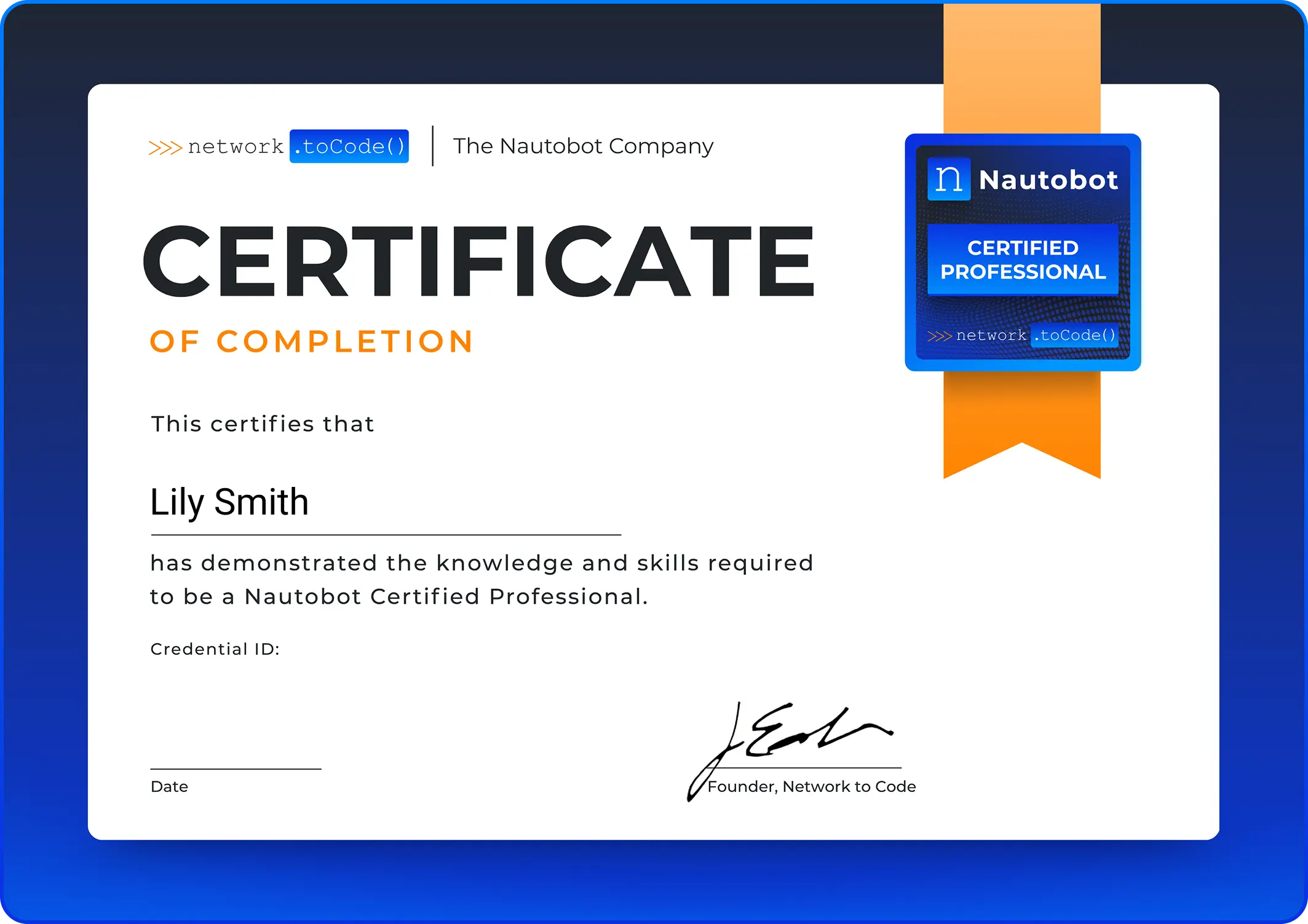
NCP Certificate

Certification Support

Nautobot Certified Professional (NCP) – Pre-requisite

Online Testing Frequently Asked (FAQs) CTA

The NCP exam requires an active NCA certification.

Nautobot Certified Professional (NCP) – Frequently Asked Questions

Online Testing Frequently Asked (FAQs) CTA

The Nautobot Certified Professional (NCP) is an advanced certification that validates your ability to design, build, and operate Nautobot-driven automation workflows in production environments. It demonstrates that you have the skills to extend Nautobot, integrate it with external systems, and apply professional-level NetDevOps practices.

The NCP certification is ideal for:

  • Network automation engineers who actively build and maintain Nautobot deployments
  • Infrastructure architects designing Nautobot-based automation pipelines
  • Engineers who develop custom Jobs, apps, or integrations on top of Nautobot
  • NetDevOps practitioners implementing configuration management and compliance workflows
  • Nautobot administrators responsible for advanced system configuration and RBAC

The Nautobot Certified Associate (NCA) certification is required before taking the NCP exam. Your NCA must be active (not expired) at the time of registration.
In addition, we recommend:

  • 1-2 years of hands-on experience with Nautobot in production or lab environments
  • Experience writing Python automation scripts that interact with Nautobot APIs
  • Familiarity with REST APIs and data formats (JSON/YAML)
  • Practical experience with Nautobot Jobs, Git data sources, and Webhooks
  • Familiarity with configuration management tools (Ansible, Jinja2 templates)

No. The NCP certification is open to anyone with an active NCA certification, regardless of whether they are a Network to Code customer.

Exam Details

The NCP exam consists of:

  • Duration: 120 minutes
  • Questions: 100 multiple choice, multiple select/drag-drop and scenario-based questions
  • Passing Score: 75% (scaled score of 750 on a 100–1000 scale)
  • Question Types: Multiple choice, multiple select, and scenario-based questions
  • 24/7 On-Demand: Proctored exam conducted on Nautobot Certification Portal
  • Language: English only

The exam covers five domains with the following weightings:

Domain Weight
Advanced Nautobot Administration and Management 15%
Nautobot Extensibility and Custom Development 25%
APIs and Integration Development 20%
Infrastructure as Code and NetDevOps 20%
Golden Configuration Management 20%

For a detailed breakdown of skills and topics, refer to the Exam Blueprint.

For security reasons, individual question results are not provided. You will receive a pass/fail result and a domain-level performance breakdown showing your strengths and areas for improvement.

Registration & Scheduling

To register for the NCP exam:

  1. Visit the Nautobot Certification Portal (or your organization’s exam registration portal)
  2. Create an account or sign in
  3. Verify your active NCA certification status
  4. Select “Nautobot Certified Professional (NCP)” from the exam list
  5. Complete payment with credit card
  6. A confirmation email will be sent with steps for system pre-check and exam details
  7. Your exam will be available immediately in your portal – take it whenever you’re ready!

No scheduling required – once you purchase, you can take the exam at any time.

There is no appointment to cancel or reschedule. Unlike traditional testing centers, the NCP exam is on-demand. Once purchased, you have 12 months to take your exam whenever you’re ready.

Exam pricing varies by region. Current pricing information is available on the Nautobot Certification Portal.

Payment Method: Credit card only

Contact certifications@networktocode.com for:

  • Enterprise pricing or bulk purchases
  • Alternative payment arrangements for organizations

Contact certifications@networktocode.com for discount eligibility and pricing.

No refunds are available. Because the NCP exam is available on-demand 24/7, please review all requirements before purchasing:

  • Read this FAQ thoroughly
  • Review the Exam Blueprint
  • Complete the Honorlock System Check
  • Ensure you meet all technical and testing environment requirements

If you have any questions before purchasing, contact certifications@networktocode.com.

Exam Preparation

We recommend a structured study approach:

  1. Test Your System First:
  1. Review Official Resources:
  1. Hands-On Practice:
  • Build and run custom Nautobot Jobs in a lab environment
  • Set up and test Git repositories as data sources
  • Practice REST API and GraphQL queries against a live Nautobot instance
  • Configure and test the Golden Configuration app end-to-end
  1. Study Materials:
  • Review the Exam Blueprint
  • Study Exam Format & Requirements
  1. Community Resources:

Study time varies based on your experience level:

  • Experienced Nautobot Engineers (daily use, 1+ years): 3-5 weeks of focused study
  • NCA-Certified Engineers with Limited Advanced Experience: 6-8 weeks with hands-on practice
  • Candidates Who Passed NCA Recently: 8-12 weeks of deeper technical study

We recommend dedicating 6-10 hours per week to exam preparation.

Recommended training courses include:

  • Highly Recommended
    • Source of Truth (SoT) and Nautobot Fundamentals
    • Nautobot Extensibility
    • Automating Nautobot with Python and Ansible
  • Network Programming and Automation Courses
  • Nautobot App Development Workshop

Visit https://networktocode.com/training for course schedules and registration.

Hands-on labs are NOT required to take the exam, but practical experience is strongly recommended for effective preparation.

Why hands-on practice helps:

  • The exam includes scenario-based questions testing practical application
  • Candidates with hands-on experience typically perform significantly better
  • Practical skills help you understand “why” not just “what”

Recommended hands-on resources:

  • 100 Days of Nautobot (First 60 days) – Step-by-step practical exercises
  • Set up a local Nautobot lab – Docker or native installation
  • Official Nautobot Documentation – Includes hands-on tutorials
  • Source of Truth and Nautobot Fundamentals training – Instructor-led with labs

Note: You can take the exam without lab access, but hands-on preparation significantly improves your chances of passing.

Testing Options & Requirements

The NCP exam is available as an online proctored exam only. You can take the exam from your home or office, with remote proctor monitoring via webcam.

No test centers – all exams are delivered virtually through secure online proctoring.

For online proctored exams, you must have:

Requirement Specification

Operating System:-  Windows 10/11, macOS 10.15+ (Linux not supported).

Internet Connection:- Minimum 2 Mbps download/upload (wired connection recommended).

Webcam:- Minimum 640×480 resolution @ 10 fps (internal or external).

Microphone:- Built-in or external microphone required.

Display:- Minimum 1024×768 resolution (additional monitors must be unplugged).

Browser:- Latest versions of Chrome.

Before purchasing: Complete the Honorlock System Check to verify your computer meets all requirements.

Your testing environment must meet these requirements:

  • Private room with closed door (no other people allowed)
  • Clean workspace – no books, papers, notes, electronic devices, or writing materials within reach
  • Quiet location without background noise or distractions
  • Adequate lighting so your face is clearly visible on webcam
  • Blank walls – whiteboards or posters with writing will be flagged during room scan

Not allowed:

  • Additional monitors (must be unplugged and turned off)
  • Mobile phones, smart watches, or headphones
  • Food (water in a clear glass is permitted)
  • Hats or headwear (religious exemptions available)

You must present one valid, government-issued photo ID that includes:

  • Your photo
  • Your signature
  • Your full name (must match your registration exactly)
  • Current expiration date (unexpired)

Acceptable forms of ID:

  • Driver’s license
  • State ID
  • Passport
  • National ID card
  • Military ID

Not acceptable:

  • Expired IDs
  • Student IDs
  • Name change documents without photo ID

Exam Day Procedures

To start your online proctored exam:

  1. Log into the Nautobot Certification Portal when you’re ready to take your exam
  2. Click “Begin Exam” under your purchased exam
  3. Download the Honorlock proctoring software if not already installed
  4. Follow prompts to complete check-in:
  • Take photos of your government-issued ID
  • Perform 360-degree room scan using webcam
  • Take photos of your workspace and desk surface
  1. Wait in queue for proctor to verify your setup (may take 5-15 minutes depending on demand)
  2. Proctor will launch your exam once verification is complete

No appointment needed – Start your exam whenever you’re ready.

You must comply with the following rules during your exam:

During Your Exam:

  • Do not cheat or allow someone else to take your exam for you
  • Do not record, share, or allow others to see your exam content
  • Do not leave the webcam view during the exam
  • Remain quiet unless instructed by your proctor
  • Do not access your phone or other devices without proctor permission
  • Your session will be recorded for quality and security purposes

If You Need Help:

  • Live proctor support is available via chat only
  • Proctors cannot pause or add time to your exam
  • Proctors cannot troubleshoot technical issues with your computer or network

Violations:

  • Breaking these rules may result in immediate exam termination
  • You will forfeit your exam fee
  • You may be banned from future certification attempts

No, breaks are not permitted during the NCP exam. The 120-minute exam is continuous. If you leave your computer for any reason, the proctor will terminate your exam session and you will not be able to continue.

Tips:

  • Use the restroom before starting check-in
  • Have water in a clear glass (eating, smoking, and chewing gum are prohibited)
  • Ensure you’re comfortable and prepared to sit for the full 120 minutes

If you experience technical issues:

  1. During Check-In: Contact proctor support via chat in the proctoring software
  2. During Exam: The 120-minute timer continues running. If there is a system crash, you may be able to resume. Idle time counts against your exam time.
  3. After Exam: Contact certifications@networktocode.com within 24 hours with your exam details

If anyone enters your testing room during the exam, your exam will be immediately terminated and you will forfeit your exam fee. Ensure that others in your home or office know you are testing and that the door should not be opened.

Results & Certification

You will receive your pass/fail result immediately upon completing the exam. However, in cases of suspected test violations, a proctor review may be conducted before your results are finalized. Your official score report will be available in your certification portal within 1-2 weeks.

Your score report includes:

  • Overall pass/fail status
  • Total scaled score (if passed)

The NCP exam uses scaled scoring from 100-1000, with a passing score of 750 (75%). Scaled scoring ensures fairness across different exam versions with varying difficulty levels.

Upon passing, you will receive the following:

  • Digital Certificate – Downloadable PDF certificate
  • Digital Badge – Shareable badge for LinkedIn, email signatures, and social media
  • Certification Validation – Publicly verifiable link to confirm your certification status
  • Certification ID – Unique identifier for verification purposes

Important: Upon successful completion of all certification requirements, please allow 2-4 weeks for processing and issuance of your official certificate and digital badge. You will receive an email notification once your credentials are ready to access.

Access Your Credentials: After passing, you’ll receive an email with instructions to claim your certificate and badge.

Note: Physical/printed certificates are not available. All credentials are digital only.

The NCP certification is valid for 3 years from the date you pass the exam. You must recertify before expiration to maintain your certified status.

Yes! We encourage you to share your achievement:

  • One-click sharing to LinkedIn, Twitter, Facebook
  • Automatically includes your certificate image and verification link
  • Use hashtag #NautobotCertified when sharing

Add to Professional Profiles:

  • LinkedIn: Add to “Licenses & Certifications” section with your verification link
  • Email signature: Embed your digital badge
  • Personal website: Display your badge with verification link
  • Resume: Include certification name, date, and verification URL

Retake & Recertification Policies

If you do not pass:

  • You will receive your score report
  • Your exam purchase includes one retry attempt at no additional cost
  • You may use your retry after a 14-day waiting period
  • We recommend reviewing the exam blueprint and focusing study before retaking

Your exam purchase includes two total attempts:

  • 1st Attempt: Included with purchase
  • 2nd Attempt (Retry): Free retry if you fail the first attempt (must wait 14 days)
  • 3rd+ Attempts: Requires purchasing a new exam

Note: After 2 failed attempts, we strongly recommend taking a Network to Code training course before purchasing additional attempts.

You can recertify at any time during your active certification period by:

Option 1: Retake the NCP Exam

  • Take and pass the current version of the NCP exam
  • Certification is renewed for 3 years from the new exam date

Option 2: Pass a Higher-Level Exam

  • Passing the Nautobot Certified App Developer (NCAD) or higher automatically renews your NCP and NCA for 3 more years.

Important: You must recertify before your certification expiration date to maintain your certified status.

If you have an expired certification, you must complete the full exam process again to earn active status:

  • Purchase a new exam
  • Take and pass the current version of the exam
  • No grace period or partial credit
  • Your certification history is retained in your profile for record-keeping.

Special Circumstances and Accommodations

  • During the exam: Contact the proctor via chat immediately, then email certifications@networktocode.com with documentation
  • Before taking the exam: Since the exam is on-demand, you have 12 months from purchase to take it whenever you’re ready. No need to reschedule.

English only.

You must be 18+ to take the NCP exam.

Exam Policies & Security

By taking the NCP exam, you agree to:

  • Confidentiality: Exam content is confidential and may not be shared, reproduced, or disclosed
  • Non-Disclosure: You may not discuss specific exam questions with others, post questions online, or share exam content in any form
  • Consequences: Violations may result in exam invalidation, certification revocation, and permanent ban from future certifications

If exam security flags suspicious behavior:

  • Your exam session will be reviewed by our security team
  • Video/audio recordings and system logs will be analyzed
  • You will be notified of the investigation and given an opportunity to respond
  • Potential outcomes: exam invalidation, certification revocation, testing ban

To avoid issues:

  • Follow all exam policies and proctor instructions
  • Ensure your testing environment is clear of prohibited materials
  • Maintain visual contact with your webcam throughout the exam
  • Do not speak aloud, read questions out loud, or make suspicious movements

No. The NCP exam is closed-book. You may not use:

  • Physical books, notes, or printed materials
  • Electronic devices (phones, tablets, smartwatches)
  • Online resources, documentation, or search engines
  • Scratch paper, whiteboards, or writing utensils

Network to Code collects minimal information necessary for exam delivery and certification:

Information Collected:

  • Name – For certification record
  • Email address – For account access and communications
  • Payment information – Processed securely (not stored by Network to Code)
  • Exam results – Score, pass/fail status, and number of attempts

NOT Collected:

  • Social security number or government ID number
  • Physical address (unless voluntarily provided)
  • Phone number (unless voluntarily provided)
  • Demographic information beyond what’s required for certification

Your exam results and certification status are used for:

  • Issuing your digital certificate and badge
  • Verification of certification status by employers
  • Tracking recertification requirements

Our exam platform and proctoring provider are designed to comply with GDPR and CCPA privacy requirements:

Proctoring Data:

  • Data Retention: Exam recordings and proctoring data retained for 365 days, then securely deleted
  • What’s Recorded: Video/audio of exam session, screen recording, room scan, ID verification photos, exam responses and timestamps
  • Privacy Compliance: GDPR and CCPA compliant
  • Access: Limited to authorized personnel for security review only

Exam Platform Data:

  • Data Retention: Certification records retained indefinitely for verification purposes
  • What’s Stored: Name, email, exam scores, pass/fail status, certification issue/expiration dates
  • Privacy Compliance: GDPR and CCPA compliant
  • Access: Limited to Network to Code certification team

For detailed privacy policies, contact certifications@networktocode.com.

Yes. Under GDPR and CCPA regulations, you have the right to request:

  • Access to your personal data
  • Deletion of your personal data
  • Correction of inaccurate data

To request data deletion or access, contact certifications@networktocode.com with your full name and exam date.

If the proctor suspects you are using unauthorized materials:

  • Your exam will be immediately terminated
  • The incident will be reported to the certification security team
  • Your exam fee will be forfeited
  • You may be banned from future certification attempts

After Certification

NCP certifications can be verified online:

For Individuals:

  • Ask the candidate for their verification link
  • Click the link to view their verified certificate
  • The page displays: Name, certification status, issue date, expiration date

For Employers/HR:

Verification shows:

  • Certificate holder’s name
  • Certification issue date
  • Expiration date
  • Current status (active, expired)
  • Credential ID

Yes! You can add your certification to LinkedIn:

Option 1: Direct Share (Recommended)

  1. Log into your certification portal
  2. Click “Share” on your NCP certificate
  3. Select “LinkedIn” – it will auto-populate all information
  4. Review and post

Option 2: Manual LinkedIn Entry

  1. Go to your LinkedIn profile → “Licenses & Certifications”
  2. Click “Add” and enter:
    • Name: Nautobot Certified Professional (NCP)
    • Issuing Organization: Network to Code
    • Issue Date: [Your exam date]
    • Expiration Date: [3 years from issue date]
    • Credential ID: [From your certificate]
    • Credential URL: [Your verification link]

Your LinkedIn network will be notified of your new certification!

NCP certification can help you pursue roles such as:

  • Senior Network Automation Engineer
  • Network DevOps Engineer
  • Network Automation Architect
  • Infrastructure Automation Lead
  • Nautobot Platform Engineer
  • Network Platform Engineer

NCP certification signals to employers that you can independently design and implement production-grade Nautobot automation solutions.

The Nautobot Certified App Developer (NCAD) certification is designed for engineers who build custom Nautobot apps and extend the platform at the code level. Details on availability and requirements are available at networktocode.com/certifications.

Additional Questions & Support

For additional questions:

Official certification resources:

Yes! We offer partnership opportunities for:

  • Training delivery partners
  • Corporate learning & development programs
  • Academic institutions
  • Technology partners

Contact certifications@networktocode.com for partnership information.
Helpful Resources

Ready to Become a Nautobot Certified Professional?

Ready to Become a Nautobot Certified Professional?

Validate your ability to extend Nautobot at the code level — from custom models and views to full app development — and become one of the first engineers certified across the full Nautobot professional track.

Register for the Exam

NCP Exam Blueprint

Overview

This blueprint outlines the NCP exam domains and the specific skills you’ll be tested on. For detailed study guidance, recommendations, and resources, see the NCP Exam Preparation Guide.

  • Duration: 120 minutes
  • Questions: 100 multiple choice and scenario-based questions
  • Passing Score: 75% (scaled score of 750 on a 100–1000 scale)
  • Validity: 3 years from date of certification

  • Active Nautobot Certified Associate (NCA) certification

  • 1-2 years hands-on experience with Nautobot in production or lab environments
  • Practical experience writing Nautobot Jobs and Python automation scripts
  • Familiarity with Nautobot REST API, GraphQL, and Git data sources
  • Exposure to configuration management and compliance workflows

This exam tests your ability to administer and manage Nautobot at scale, extend the platform using custom Jobs, config contexts, and webhooks, integrate with REST and GraphQL APIs using tools like pynautobot and Ansible, apply NetDevOps and Infrastructure as Code practices, and implement Golden Configuration for backup, compliance, and remediation workflows.

Domain 1: Advanced Nautobot Administration and Management (15%)

1.1 System Administration

  • Administration with the Admin UI
  • User, group, and permissions management
  • Understanding setting precedence and configuration
  • Banner, branding, and UI customization
  • Log handling and monitoring

1.2 Advanced Configuration and Integration

  • NAPALM integration setup and usage
  • nautobot-server CLI commands mastery
  • Nautobot Shell operations and ORM interaction
  • System upgrades and maintenance procedures
  • Health checks, troubleshooting, and debugging

Domain 2: Nautobot Extensibility and Custom Development (25%) — HIGHEST WEIGHT

2.1 Core Extensibility Features

  • Statuses, tags, and custom fields management
  • Computed fields and template contexts
  • Custom links and external system integration
  • Export templates and custom data formatting
  • Config contexts and hierarchical configuration

2.2 Advanced Extensibility

  • Relationships and dynamic groups
  • Git repositories as data sources
  • Webhooks and external system triggers
  • Django ORM and data model understanding
  • Custom app development concepts

2.3 Nautobot Jobs Development

  • Creating custom workflows and validation scripts
  • Job scheduling, approvals, and hooks
  • Job buttons and advanced features
  • Converting Python scripts to Nautobot Jobs
  • Jobs API and permissions management

Domain 3: APIs and Integration Development (20%)

3.1 REST API Mastery

  • Advanced API usage and authentication
  • Interactive API documentation utilization
  • API filtering, pagination, and optimization
  • Python integration with REST APIs
  • API best practices and troubleshooting

3.2 GraphQL Implementation

  • GraphQL query language and optimization
  • Schema definition and custom field integration
  • Relationships and aliases in GraphQL
  • GraphQL vs REST decision making
  • Advanced query techniques

3.3 Integration Tools and Libraries

  • pynautobot SDK advanced usage
  • Nautobot Ansible collection implementation
  • Nornir Nautobot integration
  • Docker containerization strategies
  • Terraform provider utilization

Domain 4: Infrastructure as Code and NetDevOps (20%)

4.1 Data-Driven Network Automation Architecture

  • Evolution of network management approaches
  • Source of Truth lifecycle management
  • Automation and orchestration workflows
  • Modern monitoring, telemetry, and observability
  • Closed-loop network automation

4.2 Infrastructure as Code Implementation

  • Environment setup and topology management
  • Dynamic inventory and data integration
  • Network device backup and configuration management
  • Multi-vendor configuration deployment
  • Git-based configuration management workflows

4.3 NetDevOps Pipeline Integration

  • CI/CD pipeline integration with Nautobot
  • Version control workflows
  • Automated testing and validation
  • Deployment strategies and rollback procedures

Domain 5: Golden Configuration Management (20%)

5.1 Golden Config Overview and Setup

  • Golden Config features and capabilities (original and v1.6+)
  • Installation and application settings
  • Nautobot Nornir integration
  • Admin and secrets configuration

5.2 Configuration Lifecycle Management

  • Backup requirements, setup, and Git integration
  • Device platform configuration
  • Intended configuration with Jinja templates
  • SoT aggregation queries and transposer functions
  • Template structure and repository management

5.3 Compliance and Remediation

  • Configuration compliance monitoring and reporting
  • Custom compliance logic and functions
  • Remediation strategies and HIERCONFIG integration
  • Configuration plans generation and deployment
  • Plan approval workflows and execution

Nautobot Certified Professional (NCP) Exam Preparation Guide

About This Guide

This guide provides detailed study recommendations, resources, and a structured learning path to help you prepare for the NCP exam. For the exam blueprint showing domains and skills, see NCP Exam Blueprint.

Recommended Study Time: 80-100 hours over 12 weeks (7-9 hours/week)

Note: The NCP targets engineers with active production or hands-on lab experience with Nautobot. Candidates who passed NCA recently but have not built real automation workflows should budget additional time for hands-on practice before attempting the NCP.

Domain 1: Advanced Nautobot Administration and Management (15%)

Production-level administration: RBAC, NAPALM integration, CLI mastery, system health, and advanced configuration. This domain is more conceptual than others but still requires practical understanding of how these features behave.

  • Configure a custom permission in Nautobot that restricts a user to read-only access on specific object types
  • Explore the Admin UI (/admin/) — understand what’s managed there vs. the standard UI
  • Practice nautobot-server CLI commands (shell, migrate, createsuperuser, etc.)
  • Review nautobot_config.py key settings: ALLOWED_HOSTS, DATABASES, CACHING, REMOTE_AUTH
  • Understand NAPALM integration — how it’s configured and what it enables
  • Review the upgrade process — what steps are required and what can go wrong
  • Practice health checks and understand how to troubleshoot common issues (worker failures, database connectivity)

  • 1-2 weeks (8-12 hours total)
Domain 2: Nautobot Extensibility and Custom Development (25%)

This is the highest weighted domain and the most applied area on the exam. You need practical experience with Jobs, Job Hooks, Webhooks, and Nautobot’s extensibility features — not just conceptual knowledge.

  • Write 3-5 custom Jobs covering different input types (StringVar, ObjectVar, MultiObjectVar, BooleanVar)
  • Trigger a Job Hook and observe behavior on object create, update, and delete events
  • Configure a Webhook and inspect its payload structure
  • Set up a Git repository as a data source and sync Config Contexts from it
  • Create custom fields, computed fields, and at least one custom relationship
  • Build a Dynamic Group using a filter and use it to target a Job
  • Configure Secrets and a Secrets Group — access a secret programmatically in a Job

  • 2-3 weeks (18-22 hours total)
Domain 3: APIs and Integration Development (20%)

Deep, practical ability to use Nautobot’s REST API and GraphQL for automation. You should be comfortable writing Python code that queries, filters, and modifies Nautobot data via API — not just using the browser UI.

  • Practice REST API calls using curl, Postman, or Python requests — cover GET with filtering, POST to create, PATCH to update, DELETE
  • Write 3-5 GraphQL queries with filters, pagination, and nested objects in GraphiQL
  • Build a pynautobot script that performs a non-trivial task (e.g., bulk update device statuses, export IP allocations to CSV)
  • Create an Ansible playbook using the nautobot-ansible collection that reads from and writes to Nautobot
  • Practice setting up a Nautobot dynamic inventory and running a playbook against it
  • Understand API token permissions — test the difference between a full-access token and a scoped token

  • 2-3 weeks (14-18 hours total)
Domain 4: Infrastructure as Code and NetDevOps (20%)

How to use Nautobot as the source of truth in a real automation pipeline — from data modeling through to configuration generation, deployment, and validation.

  • Build an end-to-end workflow: Nautobot data → Jinja2 template → rendered config → Ansible deploy
  • Set up Config Contexts in a Git repository and sync them — test that the right context applies to the right device based on location, role, and tenant
  • Write a Jinja2 template that renders a device configuration using Nautobot API data
  • Design an Ansible playbook that reads device data from Nautobot and pushes configuration changes
  • Understand Dynamic Groups as a targeting mechanism for automation workflows
  • Review CI/CD integration patterns — understand how Nautobot fits in a GitOps workflow at a conceptual level

  • 2-3 weeks (14-18 hours total)
Domain 5: Golden Configuration Management (20%)

The Golden Configuration app is an NCP-specific topic not covered in the NCA. You need hands-on experience installing, configuring, and running the full Golden Config workflow: backup → intended config generation → compliance check → remediation.

  • Install the Golden Configuration app in your lab Nautobot instance
  • Configure at least one backup job that collects configuration from a device (or simulated device)
  • Write a Jinja2 intended config template and generate a golden config
  • Run a compliance job and interpret the diff output
  • Define at least one compliance rule (CLI-based) and confirm it reports correctly
  • Understand what happens when a device is out of compliance — what options exist for remediation
  • Review the Golden Config data flow: Nautobot data → GraphQL query → template rendering → backup/compliance

  • 2-3 weeks (16-20 hours total)

Lab Tip: You can test Golden Config with simulated device output using a file-based backup approach — you do not need live network devices to practice the compliance workflow.

Recommended Study Schedule

Week Focus Hours Activities
1 Administration — Admin UI, RBAC, NAPALM, CLI 8-10 Permissions, config.py, nautobot-server commands, NAPALM setup
2-3 Extensibility — Custom Fields, Dynamic Groups, Config Contexts 12-15 Read docs, create custom fields, set up Git data source
4-5 Extensibility — Jobs and Job Hooks 14-16 Write Jobs, test Job Hooks, configure Webhooks
6-7 APIs — REST, GraphQL, pynautobot, Ansible 14-16 API calls, GraphQL queries, pynautobot scripts, dynamic inventory
8-9 Golden Configuration — Setup to Compliance 14-18 Install app, backup, templates, compliance rules, remediation
10 IaC/NetDevOps — Config rendering pipeline 8-10 End-to-end workflow: data → template → config → deploy
11 NetDevOps — CI/CD, Git workflows, testing 6-8 Pipeline integration concepts, version control, rollback
12 Review & Final Preparation 6-8 Weak areas review, practice scenarios, system check


Total Study Time: 80-100 hours over 12 weeks (7-9 hours/week)

Best Practice: Complete at least the first 60 days of 100 Days of Nautobot for structured hands-on learning before taking the exam.


Hands-On Lab Exercises (Highly Recommended)

IMPORTANT ⚠️

At the NCP level, hands-on experience is critical — not just recommended. The exam includes advanced scenario-based questions that require practical familiarity with how Nautobot features actually behave. Candidates who have only read documentation consistently underperform those with real hands-on experience.

  1. Custom Job Suite — Write 5 Jobs: device report Job, bulk status updater, data validator, config renderer, and a Job using ObjectVar for targeted operation
  2. Job Hook Implementation — Trigger a Job automatically on IP Address creation that logs activity and validates the prefix
  3. Webhook Integration — Configure a Webhook that posts to a simple HTTP listener (e.g., webhook.site) on device status change
  4. Git Data Source — Store 3-5 Config Context files in a Git repo, sync to Nautobot, verify context assignment per device role and location
  5. REST API Automation Script — Python script using requests that queries devices by location, exports to CSV, and updates a custom field
  6. GraphQL Deep Dive — Write queries for: all active devices with their IP addresses, prefix utilization by namespace, devices by Dynamic Group membership
  7. pynautobot Automation — Script that provisions a new rack with devices and their interfaces using only pynautobot
  8. Golden Config End-to-End — Install app, configure backup, write intended config template, run compliance, define a rule, observe and interpret results
  9. Ansible + Nautobot Pipeline — Playbook that uses Nautobot as dynamic inventory to push an NTP config to devices, sourcing NTP servers from a Config Context
  10. RBAC Lab — Create two roles (read-only operator, IPAM admin), assign permissions, test that each role behaves correctly

  • Nautobot instance: Docker-based (nautobot-docker-compose recommended)
  • 4GB+ RAM, 40GB+ disk space
  • Git repository (GitHub or GitLab) for Config Contexts and Jobs
  • Python 3.9+ with virtual environment, pynautobot, requests installed
  • Ansible 5.0+ with nautobot-ansible collection
  • Golden Configuration app installed alongside Nautobot
  • Optional: Nornir or Netmiko for simulating device interactions in Jobs

Study Tips

ntc img
Golden Config requires a dedicated lab session

Don’t try to understand it conceptually alone; install and run it

ntc img
Jobs are the core of NCP

If you can build complex Jobs confidently, you’re well prepared for Domain 2

ntc img
Use GraphiQL actively

Open it against your lab Nautobot and write real queries rather than reading about syntax

ntc img
Read the source code

For Jobs and pynautobot, reading examples in the GitHub repos teaches more than docs alone

ntc img
Focus on scenario questions

The NCP leans heavily on “given this situation, what’s the best approach?” — think operationally

ntc img
Review your NCA weak areas first

If any NCA domains felt shaky, reinforce them before diving into NCP content

ntc img
Join the community

Ask questions in Network to Code Slack; Golden Config and Jobs have active channels

››› Complete Resource Library

Official Study Resources Official Study Resources

Official Nautobot Documentation

docs.nautobot.com

Network Automation with Nautobot Book

(Chapters 1-12)

100 Days of Nautobot** (recommended: complete at least first 60 days)

go.networktocode.com/100-days-of-nautobot

Golden Configuration App Docs

docs.nautobot.com/projects/golden-config

Nautobot Extensibility, Automating Nautobot with Python and Ansible

Instructor Led Training and Digital Learning

Nautobot App Development Workshop

Hands-on app and Jobs development

Network Programming and Automation

(Advanced Python and Ansible Courses)

pynautobot GitHub

github.com/nautobot/pynautobot

autobot-ansible GitHub

github.com/nautobot/nautobot-ansible

Nautobot Community Resources

networktocode.com/community/open-source/

Nautobot GitHub

github.com/nautobot

Network to Code Blog

https://networktocode.com/blog/

Network to Code Slack

slack.networktocode.com

Network to Code YouTube

youtube.com/@networktocode6721

Network to Code Events

networktocode.com/resources/events/
Highly Recommended

Training Courses Training Courses

Source of Truth and Nautobot Fundamentals, Nautobot Extensibility, Automating Nautobot with Python and Ansible – Instructor Led Training or Digital On Demand Learning

Network Programming and Automation (Python I and Ansible I) – Instructor Led Training or Digital On Demand Learning

Automating Networks with Python II and Automating Networks with Ansible II

Nautobot Compliance & Remediation, with Golden Config App

for course schedules and registration

Register Now

Ready to Register?

Once you’ve completed your study plan and feel confident:

  1. Verify NCA: Confirm your NCA certification is active at learning.networktocode.com
  2. System Check: Install Honorlock ExtensionRun System Check
  3. Register: learning.networktocode.com
  4. Review: Complete FAQ for exam day procedures

Questions? Email certifications@networktocode.com

Ready to Become a Nautobot Certified Professional?

Ready to Become a Nautobot Certified Professional?

Validate your ability to extend Nautobot at the code level — from custom models and views to full app development — and become one of the first engineers certified across the full Nautobot professional track.

Register for the Exam

ntc img
ntc img

Interested in getting started?

Share details about yourself & our sales team will reach out to you for more details!

Author